Vulinder overview
Vulinder is a security analysis (ASPM) platform that finds vulnerabilities in one place, from source code to containers, web services, server infrastructure, and runtime, and helps you remediate the most dangerous ones first. This page explains what Vulinder does, how far its coverage reaches, and by what criteria it sets priority. The actual usage order, such as signing up and running your first scan, is covered in the Getting started guide.
What Vulinder does
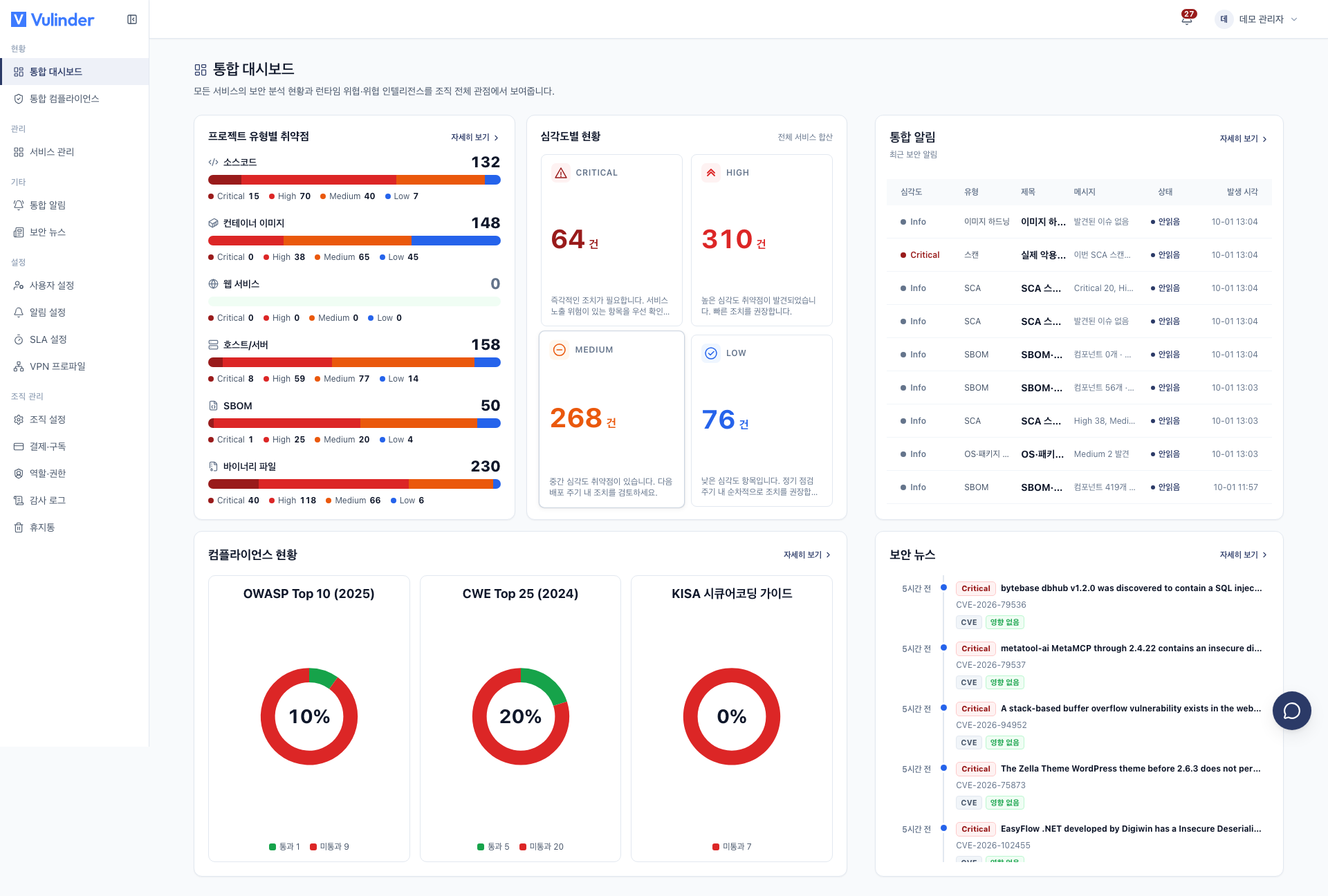
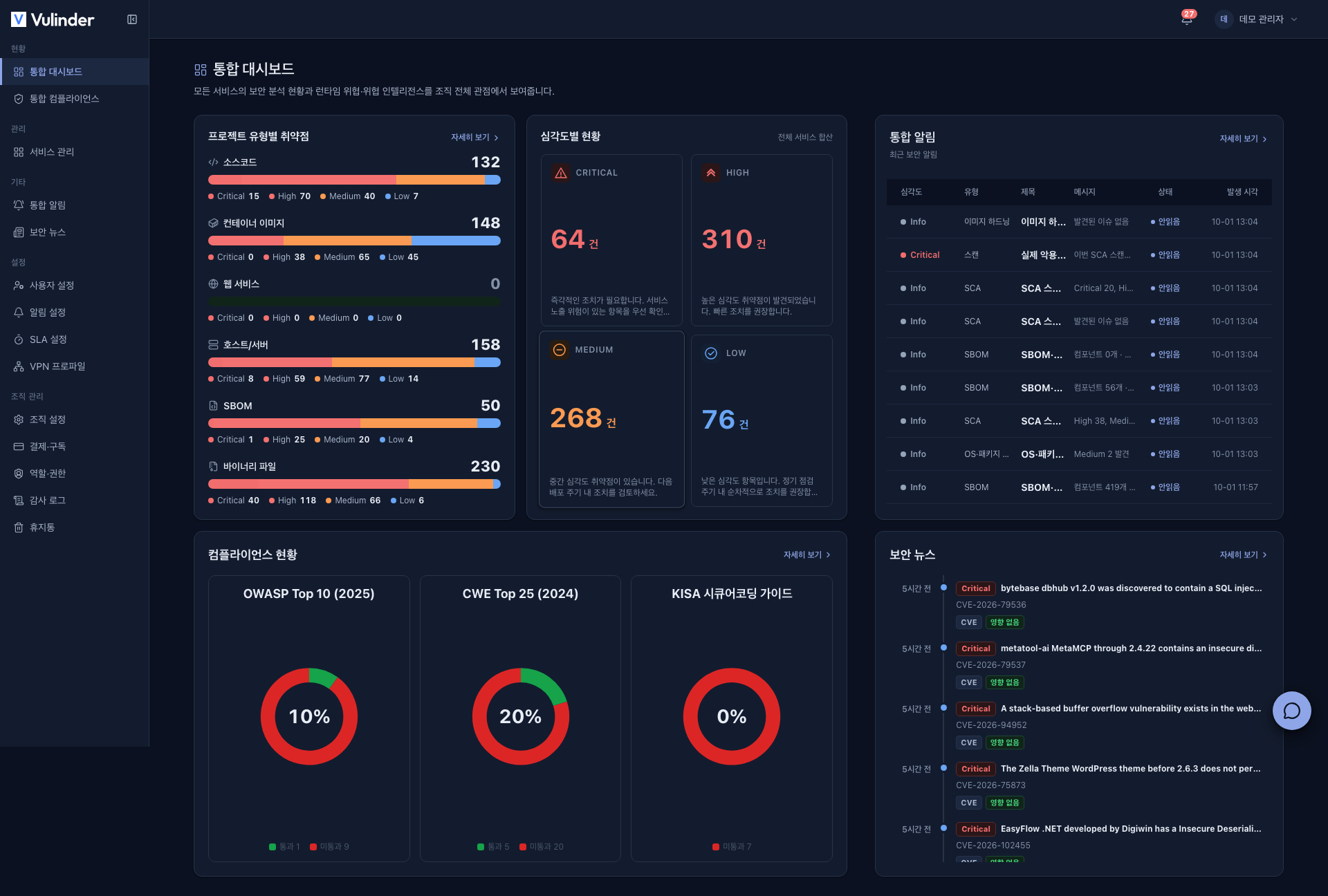
Vulinder brings scattered security checks into a single organization view. It normalizes the results of different analyses into the same language (severity, KEV, compliance) to answer the question of what to address first. It works along two axes.
- Security analysis : Runs SAST, SCA, DAST, SBOM, IaC, and Secret analyses on your registered services and organizes the results by severity.
- Server monitoring : Installs a runtime collector on servers to receive and alert on runtime security events centrally.
Discovered vulnerabilities are linked to threat intelligence (KEV, security news) to show which vulnerabilities in your environment are actually being exploited right now.
How far coverage reaches
Vulinder is not limited to a single kind of analysis. It covers the entire development and operations lifecycle, from source code to runtime, on one platform, and the analyses you can run depend on the service type. The table below is the full coverage.
| Service type | SAST | SCA | DAST | IaC | Secret | SBOM·License | Hardening/Infra | Runtime |
|---|---|---|---|---|---|---|---|---|
| Source code | ✓ | ✓ | · | ✓ | ✓ | ✓ | · | · |
| Container image | · | ✓ | · | · | · | ✓ | Image Hardening | · |
| Web service | · | · | ✓ | · | · | · | · | · |
| Server / host | · | OS | · | · | · | ✓ | K8s·CIS | Monitoring |
| SBOM upload | · | ✓ | · | · | · | ✓ | · | · |
| Binary file | · | ✓ | · | · | · | ✓ | · | · |
SCA and SBOM span multiple service types, so each service-type section covers them in its own context. (For example, image SCA, host OS vulnerabilities.)
Core concepts
Every screen in Vulinder rests on a handful of concepts. Once you grasp these five (organization -> service -> analysis -> finding -> triage), everything else reads naturally. Word definitions are gathered separately in the Glossary.
Organization
The top-level boundary for all data. Services, members, results, and settings are isolated per organization, and you cannot access another organization's data. When you sign up, an organization is created automatically, and you hold a role (administrator / manager / member) within it. (Members and Roles)
Service
Represents a single analysis target. A service has a type, and the type determines which analyses can be run (see the coverage table above). The six types are source code, container image, web service, server / host, SBOM upload, and binary file.
Analysis (scan type)
An individual security analysis run against a service. Based on "what it looks at," analyses are divided as follows.
- SAST : code
- SCA : dependency CVEs
- DAST : web
- IaC : infrastructure code
- Secret : hardcoded secrets
- SBOM · License : components · licenses
The details of each analysis are covered in the relevant service-type section.
Scan run
A single execution of an analysis against a service at a specific point in time. Each run leaves a result snapshot, and when you rescan, it is compared item by item with the previous results.
- Removed items : Items no longer found drop out of the list.
- New items : Newly found items are added.
- Recurred : Resolved items that are found again are marked Recurred.
This lets you track whether things are "better than last week."
Finding
A single vulnerability discovered by an analysis. It has a severity, location, description, and references (CVE / CWE). Severity is shown in five fixed-color levels.
CRITICAL HIGH MEDIUM LOW INFOKEV is a separate axis from severity, marking vulnerabilities with "confirmed active exploitation." Even at the same severity, address items tagged KEV first.
Triage
The work of reviewing a vulnerability and deciding its handling status. Vulinder offers three closing statuses.
- Resolved : An item you have fixed. If a rescan finds it again, it returns to open (recurred).
- False Positive : An item that is not a real risk. Once handled, it does not return to open even if a later rescan detects it again.
- Accepted Risk : You acknowledge the risk but decide not to remediate it for now.
Unhandled items remain open. Items that are no longer found by a rescan after remediation drop out of the current results. For details, see Vulnerability management.
How priority is set
Vulinder sorts discovered vulnerabilities in the following four ways and presents the basis for each priority.
Severity · KEV normalization
It unifies the different severity labels of each analysis tool into the common axes of severity (five levels) and KEV. KEV is a separate axis from severity, and in the vulnerability management list items with confirmed active exploitation are pinned to the top regardless of severity.
Threat intelligence linkage
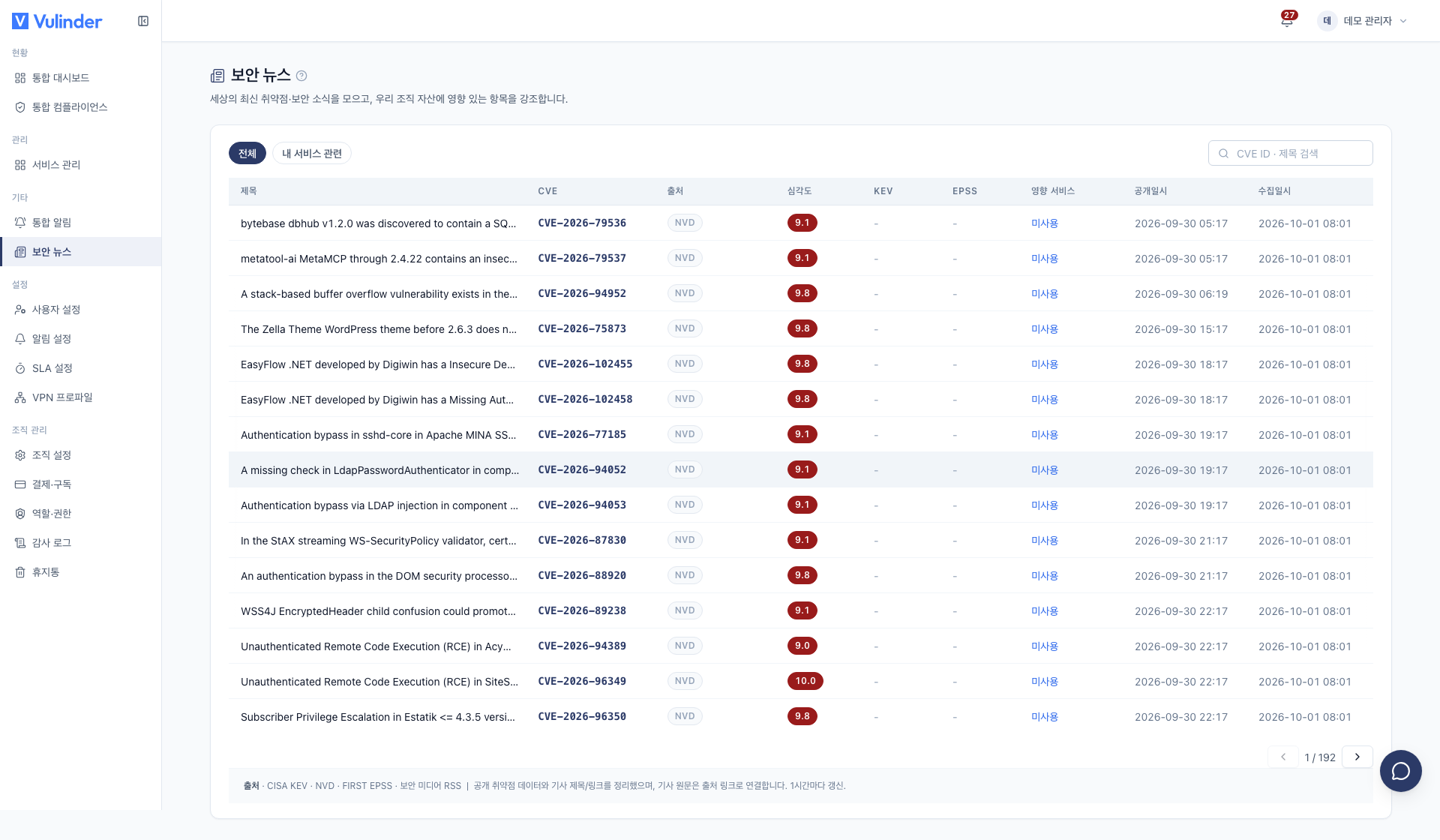
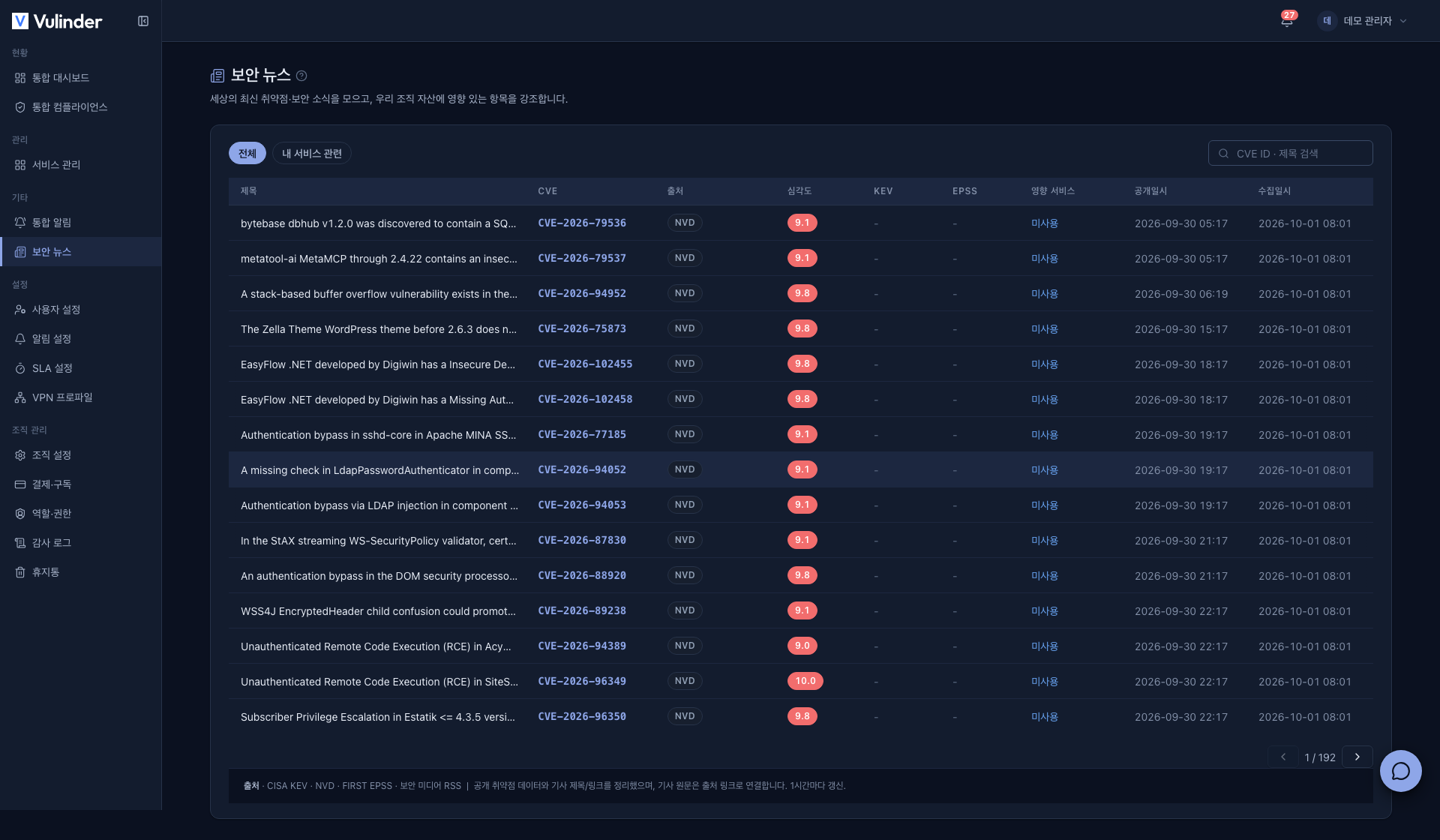
It links findings to the KEV catalog and the security news feed. You can identify which new vulnerabilities affect your environment without a separate search.
Compliance mapping
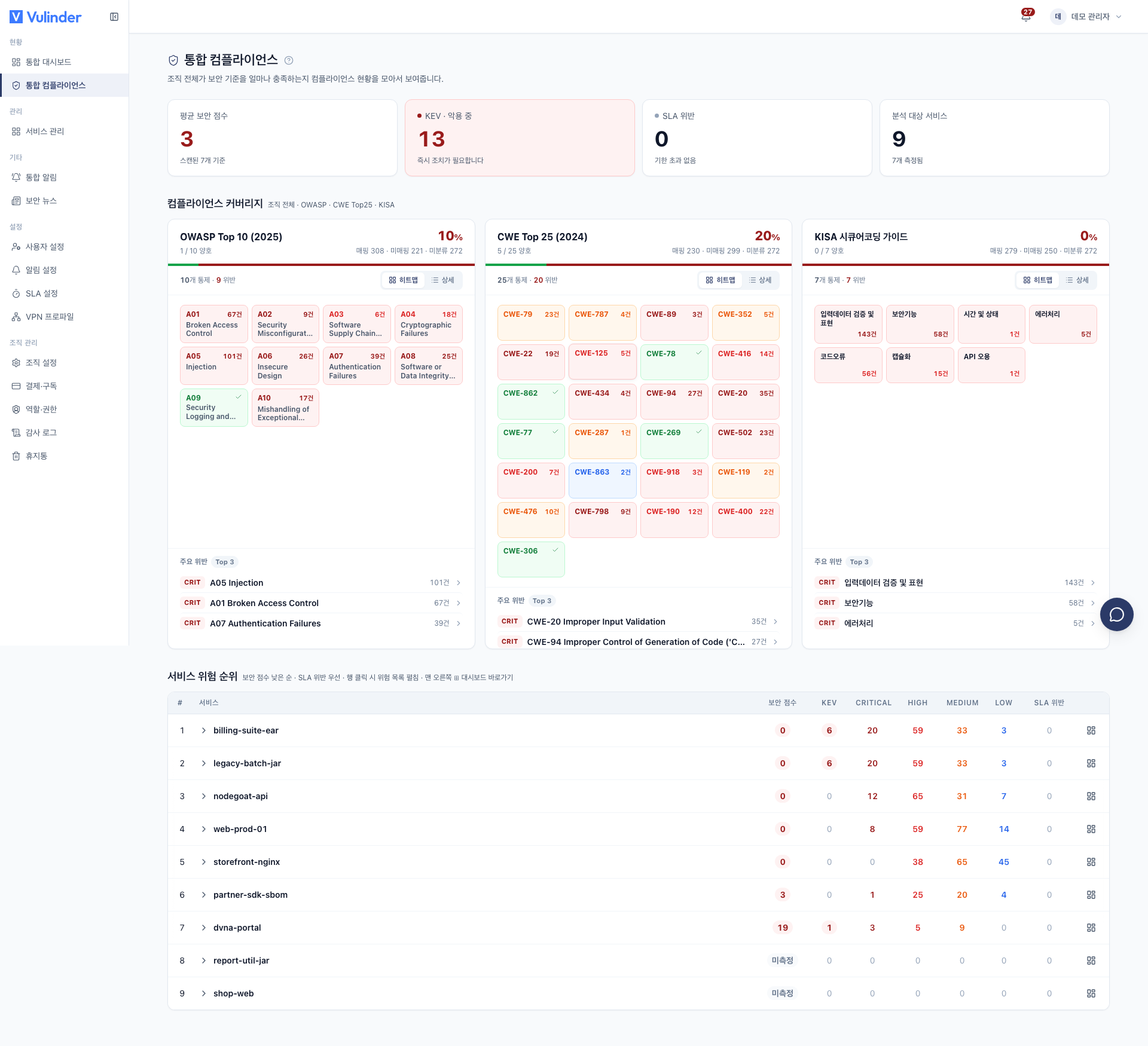
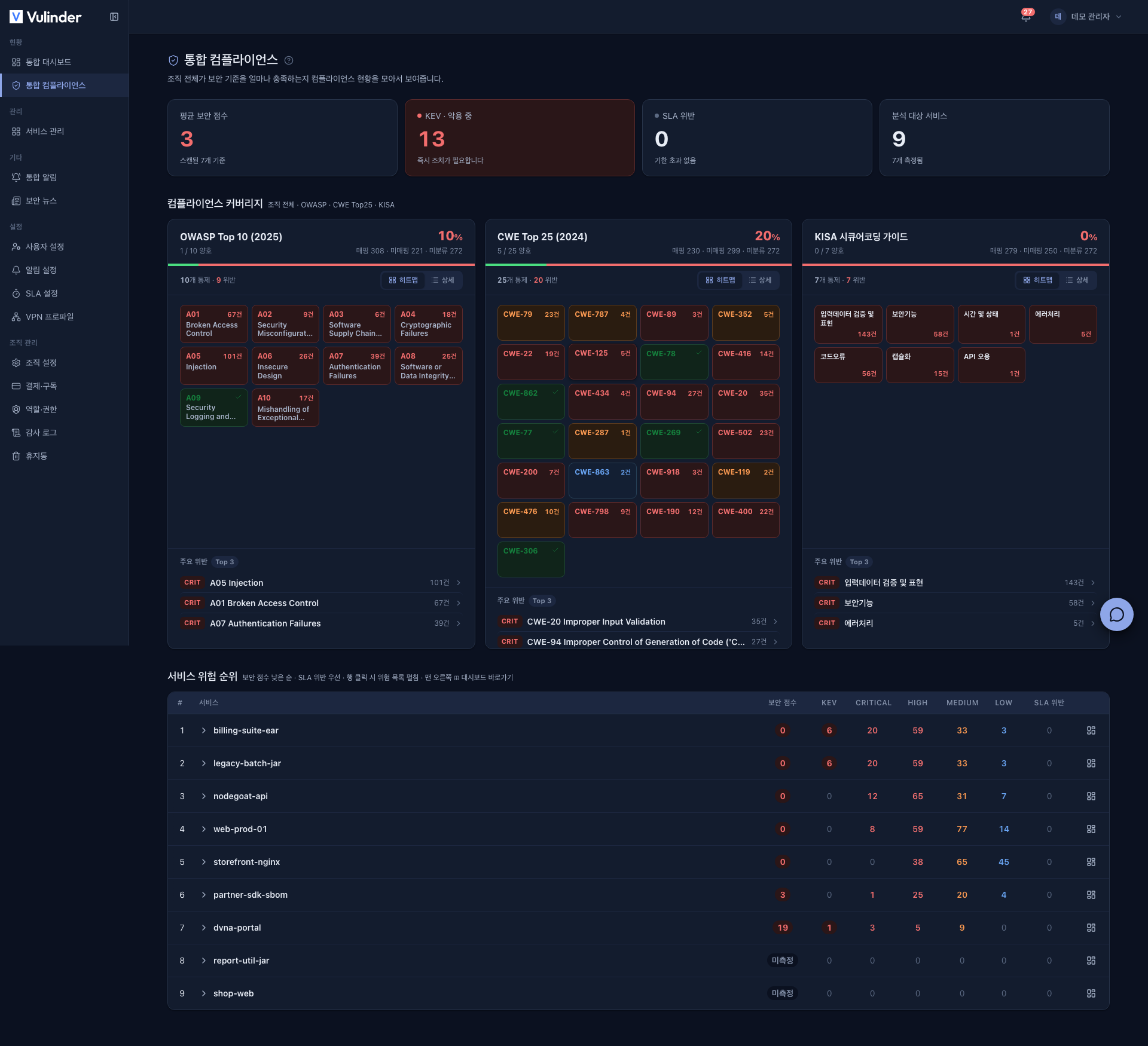
It maps discovered vulnerabilities to OWASP / CWE / KISA standards and shows your compliance status. It presents, with evidence, the per-standard coverage needed for audits and reporting. (Unified compliance)
Trend tracking
On every rescan, it compares item by item with the previous results to reflect items that disappeared, recurred, or are new, and quantifies the posture of your organization · services with a security score. Instead of a single snapshot, you can track change over time.
Guide structure
This guide is organized in the order you work. Expand each section in the left sidebar.
| Section | Contents |
|---|---|
| Getting started | Sign-up, login, first service registration and scan |
| Service types | Registering and analyzing source code, container images, web services, servers / hosts, SBOM uploads, and binary files |
| Service settings | Changing a registered service's analyses, analysis target connection, and access information, and deleting a service |
| Scan automation | Scheduled scans and CI triggers |
| Security status | Dashboard (including security score), vulnerability management, compliance |
| Security news | Newly disclosed vulnerabilities and their impact on your environment |
| Reports | Vulnerability disclosure report (VDR), SBOM, VEX |
| Organization · Operations | Members · roles, SLA, notifications, audit log, billing · subscription, trash, account settings, leaving · restoring |
| Reference | Status dictionary, glossary, FAQ, contact |
The Getting started guide walks you through sign-up, first service registration, first scan, and checking results in order.