Security News & Threat Intelligence
Curates newly disclosed vulnerabilities and threats, and picks out the ones affecting your assets to alert you. Without chasing every new CVE one by one, you receive only the items that are actually dangerous to your organization.
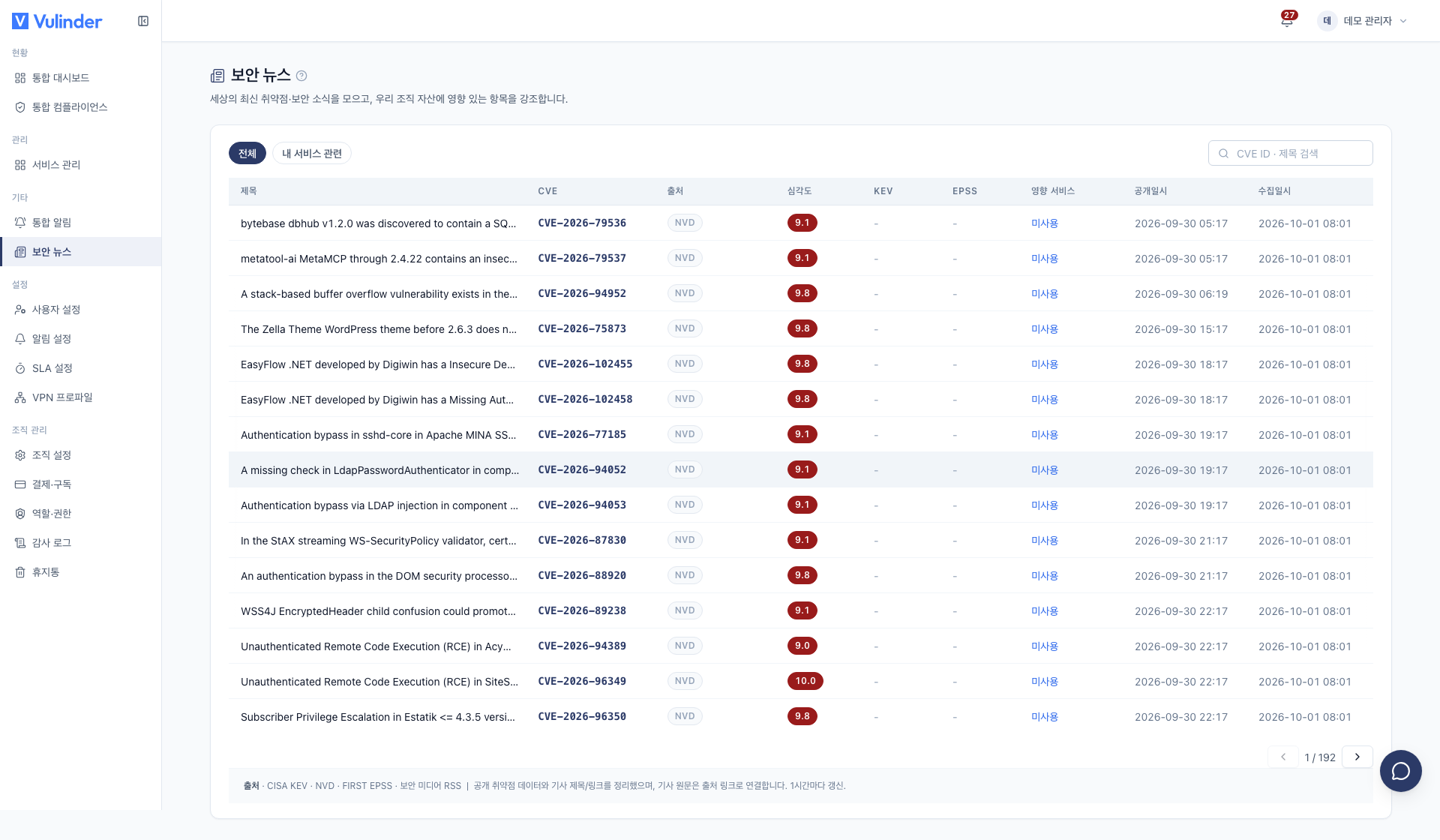
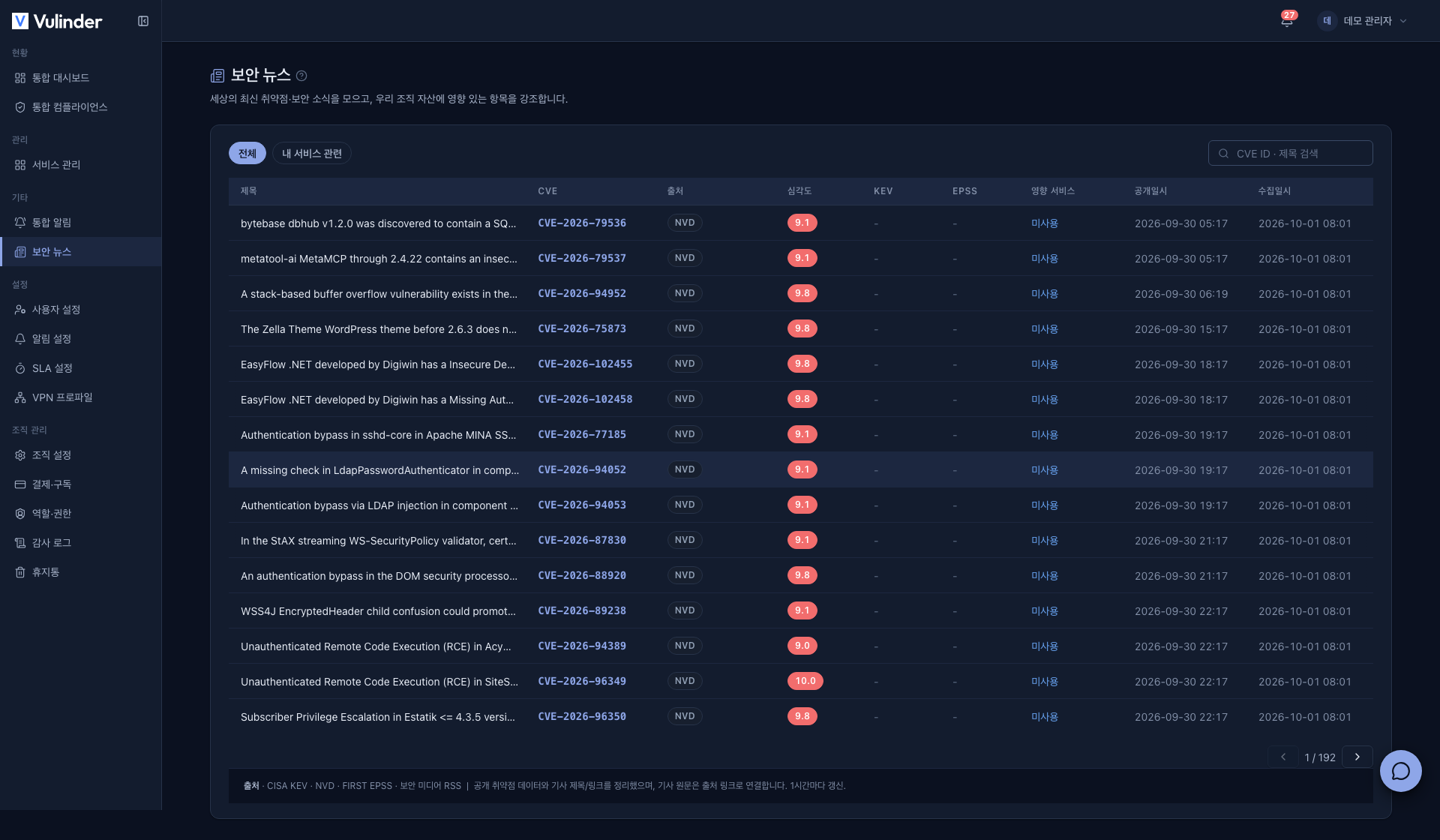
The sections below explain each column of the list and the layout of the detail screen.
List
The feed is a table, and each item shows the following.
- Title · CVE : A summary of the vulnerability and its CVE number (e.g.
CVE-2024-1234). Article items have a title only, without a CVE. - Source : Where the data comes from (CISA KEV · NVD · security media, etc.).
- Severity : The CVSS score (e.g. 9.8), colored by severity. KEV items without a score show KEV.
- KEV : The vulnerability is already being exploited in real attacks.
- EPSS : An estimate of how likely the vulnerability is to be exploited. Higher means higher priority.
- Impacted services : The number of services in your organization where this vulnerability was found. If it is not in your stack, it shows Not used .
- Published · Collected : When the vulnerability was disclosed and when Vulinder first collected it.
Switching views and search
- Tabs : At the top, switch between All and My services (only vulnerabilities that affect you).
- Search : Filter the list on the current page by CVE ID or title.
Detail screen
Click an item to open its detail screen, which gathers public data from multiple sources in one place.
- Key metrics : CVSS score and severity, EPSS percentile (e.g. "top 5%"), the number of your services affected, and the KEV listing date.
- Risk vector (CVSS) : Attack vector, attack complexity, privileges required, user interaction, and confidentiality / integrity / availability impact, explained in plain sentences so you can see under what conditions it can be exploited.
- Original description · NVD : The official NVD description.
- Affected assets : The list of your services where this vulnerability was found.
- Click a service to go to that vulnerability in Vulnerability Management and act on it. Vulnerability Management is available only to admins and managers; members go to the service dashboard instead.
- If it was not found, it shows "No asset impact" and is re-evaluated on the next scan.
- Timeline : Published · KEV listed · Collected.
- References : Links to the original and related sources, such as the NVD detail page.
"Affects you" is determined by matching the CVE-bearing findings of your registered services' most recent scans, regardless of analysis type.
- It is not a real-time match against your live environment, so changes made after the last scan (for example, a library version you bumped in the meantime) are not yet reflected.
- Items you already marked as false positive, accepted risk, or resolved are excluded from the impact count.
Data sources
The feed periodically gathers and curates several public threat data sources.
- CISA KEV : Vulnerabilities confirmed to be exploited in the wild.
- NVD : Newly published CVEs with high severity (high CVSS) or high exploitation likelihood (high EPSS).
- Security media (RSS) : Recent security news articles. Article items provide only the source and link, without severity or EPSS.
EPSS and KEV indicators are kept up to date, and newly detected vulnerabilities have their indicators filled in immediately.
Continuous monitoring and alerts
Vulinder continuously re-checks the components and existing vulnerabilities of your registered services. It detects vulnerabilities disclosed after a scan, and monitoring works in both directions.
- New threat → your assets : When a new vulnerability is disclosed, it is matched against your services' latest component analysis (SCA) results, and you are alerted if there is an impact. New CVEs are detected without rescanning.
- Your scan → active exploitation (KEV) : When a scan finishes, vulnerabilities in its results that are already exploited in real attacks (KEV) are found and alerted. Each service and vulnerability pair is alerted only once, so rescans do not send duplicate alerts.
- Priority : KEV and high-EPSS items come first.
- After an alert : The item is automatically added to the Vulnerability Management list, where you handle it like any other vulnerability.
- Delivery : Alerts go to the channels (email · Slack · Discord) set in Notification settings.
- New CVE published : If a new CVE affecting a library in a service you scanned last month is published this week and collected into the feed, a threat alert is sent without a rescan.
- Existing CVE listed in KEV : If a CVE already in the feed is later listed in KEV, you are notified by the KEV alert when the next scan finishes.
Related documents
- Vulnerability Management : Handle threats that affect you
- Notification settings : Configure threat alert delivery
- Dashboard : Grasp organization-wide risk