Vulnerability Disclosure Report (VDR)
A VDR (Vulnerability Disclosure Report) organizes the vulnerabilities found in a service into a human-readable PDF report. Use it for executive reporting, regular security reviews, and customer or audit requests. A report is always generated from the service's most recent scan.
- Contents : Discovered vulnerabilities, summarized overall and by analysis type
- Format : PDF
- Applies to : All service types
The Vulnerability Disclosure Report card on the [Reports] screen is divided into two groups.
- Aggregate reports : Summary reports common to all types (dashboard · compliance)
- Per-scan reports : Reports you select and download by scanner type (SAST · SCA · DAST, and so on)
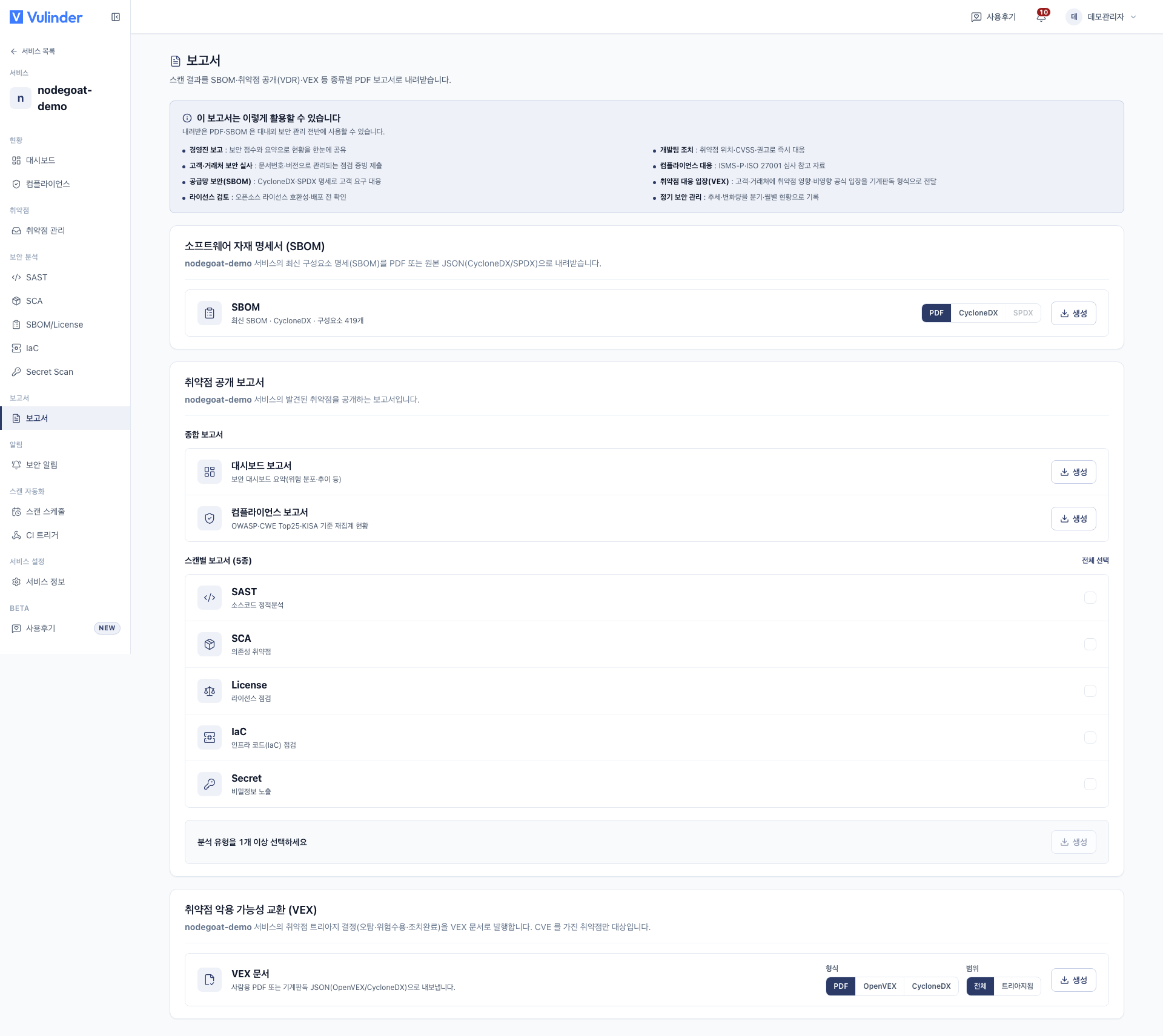
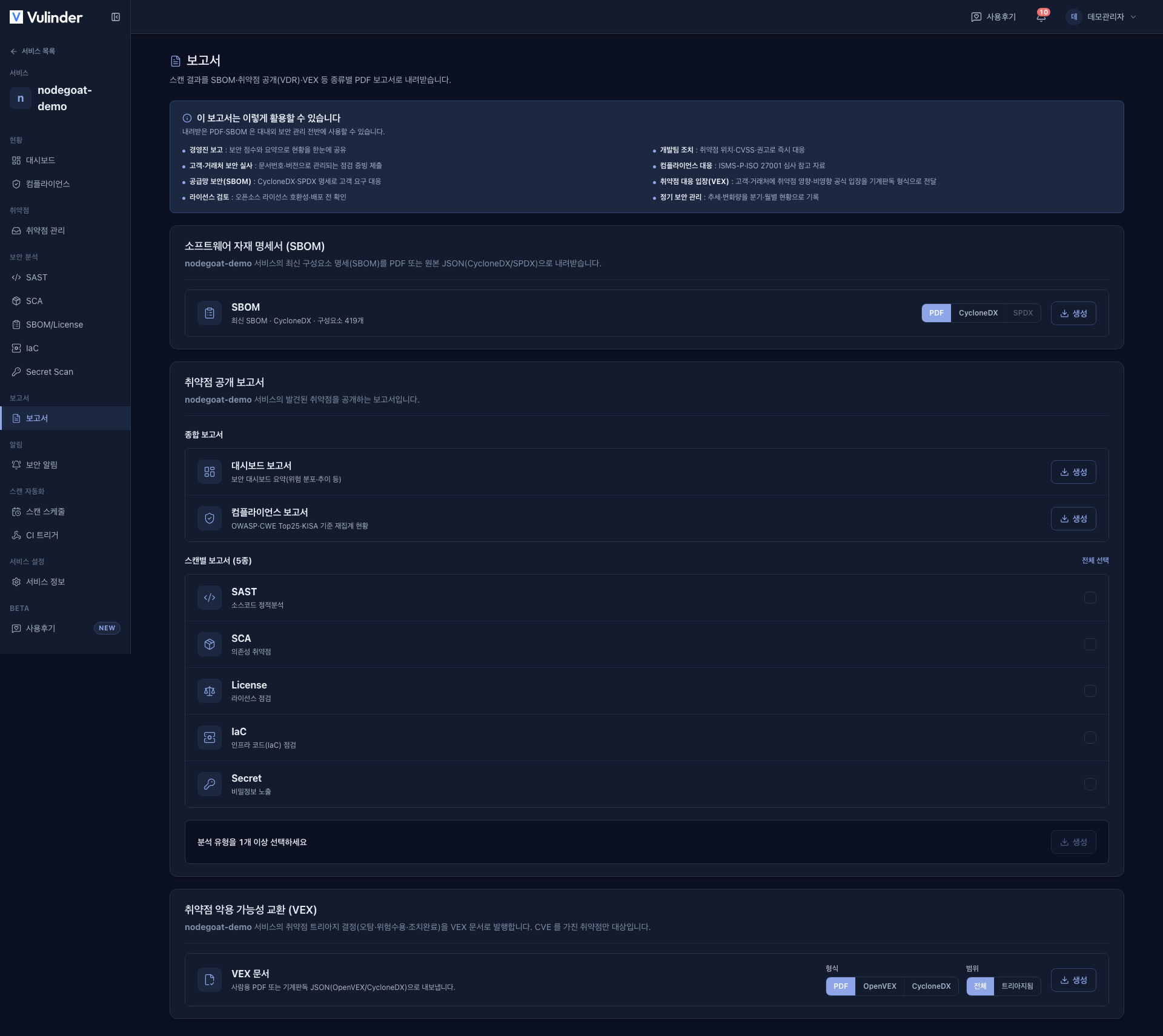
Aggregate reports
Summary reports you download with a single button.
- Dashboard report : A summary of the security dashboard. It captures the service's overall posture at a glance, including the severity distribution and risk trend.
- Compliance report : Compliance status that re-aggregates findings by standard.
- Standards : OWASP · CWE Top 25 · KISA secure coding. For server / host services, it also includes CIS Kubernetes benchmark compliance.
- Contents : Which item of each standard a finding maps to, and how many findings are mapped, unmapped, or unclassified.
The dashboard and compliance reports package the data shown on the Dashboard and Compliance screens into a document. They expose no new information, so any member of the organization can generate them.
Per-scan reports
Check the analysis types you want and download them. If you select several, each is saved as a separate PDF. The items shown depend on the analyses enabled for the service and on the service type.
| Type | Report title | Location shown as | Identifier |
|---|---|---|---|
| SAST | Static code vulnerability analysis report | File path | CWE |
| SCA | Component vulnerability analysis report | Package | CVE |
| DAST | Dynamic vulnerability analysis report | Endpoint | Type |
| IaC | Infrastructure configuration vulnerability analysis report | Resource/file | Policy |
| Secret | Sensitive information exposure analysis report | File location | Type |
| License | Open source license compliance report | Component | License |
| K8s cluster | Kubernetes cluster vulnerability analysis report | Resource | Check item |
| CIS | Kubernetes benchmark compliance report | Section | Control |
| Image hardening | Container image hardening analysis report | Image | Check item |
- For server / host services, SCA is labeled "OS & package vulnerabilities".
- SBOM is not part of this list; download it from the SBOM report card.
- If you select a type that has no scan history, that report is not generated and you are told which types were skipped.
Infrastructure check reports (K8s · CIS · hardening)
Infrastructure checks do not have a separate card; they appear in this per-scan list. They are shown only for services that have those checks enabled (server / host, container image).
- K8s cluster : Findings grouped by resource (kind · namespace · name), with the worst severity.
- CIS benchmark : Pass / fail / not-evaluated counts per section, the overall compliance rate (%), and the Kubernetes version.
- Image hardening : A summary of the container image check results.
There is no screen for a single infrastructure report from a past run. Infrastructure reports are always generated from the latest scan only, so summary tables (such as the CIS compliance rate) never diverge from the details.
Report contents by service type
The [Reports] screen is the same, but the analyses included and the items you can export depend on the service type.
| Service type | Analyses included | SBOM | Infrastructure bucket | VEX |
|---|---|---|---|---|
| Source code | SAST · SCA · Secret · IaC · License (when SBOM is selected) | O | - | O |
| Container image | Image SCA · hardening · License (when SBOM is selected) | O | Hardening | O |
| Web service (DAST) | Dynamic vulnerability checks | - | - | O |
| Server / host | OS vulnerabilities (SCA) · K8s · CIS · runtime · License (when SBOM is selected) | O | K8s · CIS | O |
| SBOM upload | Component SCA · License (when License is selected) | - | - | O |
| Binary file | Component SCA · License (when SBOM is selected) | O | - | O |
- SBOM : Can be exported for most types where components can be identified. The following types are excluded.
- Web service (DAST) : External dynamic checks produce no component list.
- SBOM upload : The uploaded original file is already an SBOM.
- Infrastructure buckets : K8s cluster · CIS benchmark · image hardening. They appear as per-type items in the Vulnerability Disclosure Report (VDR) card for services that have those analyses enabled.
- VEX : Exports the triage results of CVE-mapped vulnerabilities as a standard document. Any service type qualifies as long as it has CVE-based findings.
- When the card appears : The VEX card appears for services with at least one CVE-producing analysis turned on. Those analyses are SCA · DAST · K8s Cluster · Container Hardening.
There is no separate "organization-wide report"; every report is always generated from the service's most recent scan.
Format
All vulnerability disclosure reports are downloaded as PDF.
Related documents
- Vulnerability management : Handling and triage of the findings in a report
- Compliance : Standards and mapping behind the compliance report
- VEX : Exploitability evidence as a machine-readable document
- SBOM : Exporting the component inventory