Vulnerability Exploitability eXchange (VEX)
VEX (Vulnerability Exploitability eXchange) is a document that states, in a standard format, whether a vulnerability is actually exploitable in your product. A scan often finds CVEs that have no real impact. VEX records that judgment with its evidence, reducing re-verification on the receiving side.
- Contents : Triage results (vulnerability exploitability)
- Format : PDF · OpenVEX · CycloneDX
- Applies to : CVE-mapped vulnerabilities
What gets exported
VEX does not make a new judgment; it carries over the decisions you made in Vulnerability management into a document. Outcomes such as false positive, accepted risk, and fixed are converted into each CVE's VEX status. To get an accurate VEX, triage your vulnerabilities first.
- The organization's triage results (false positive · accepted risk · fixed, and so on) are converted into VEX statuses and exported.
- Only CVE-mapped items are included. Items without a CVE (for example, some SAST · Secret findings) are not expressed in VEX.
- Any service type can export VEX as long as it has CVE-based vulnerabilities.
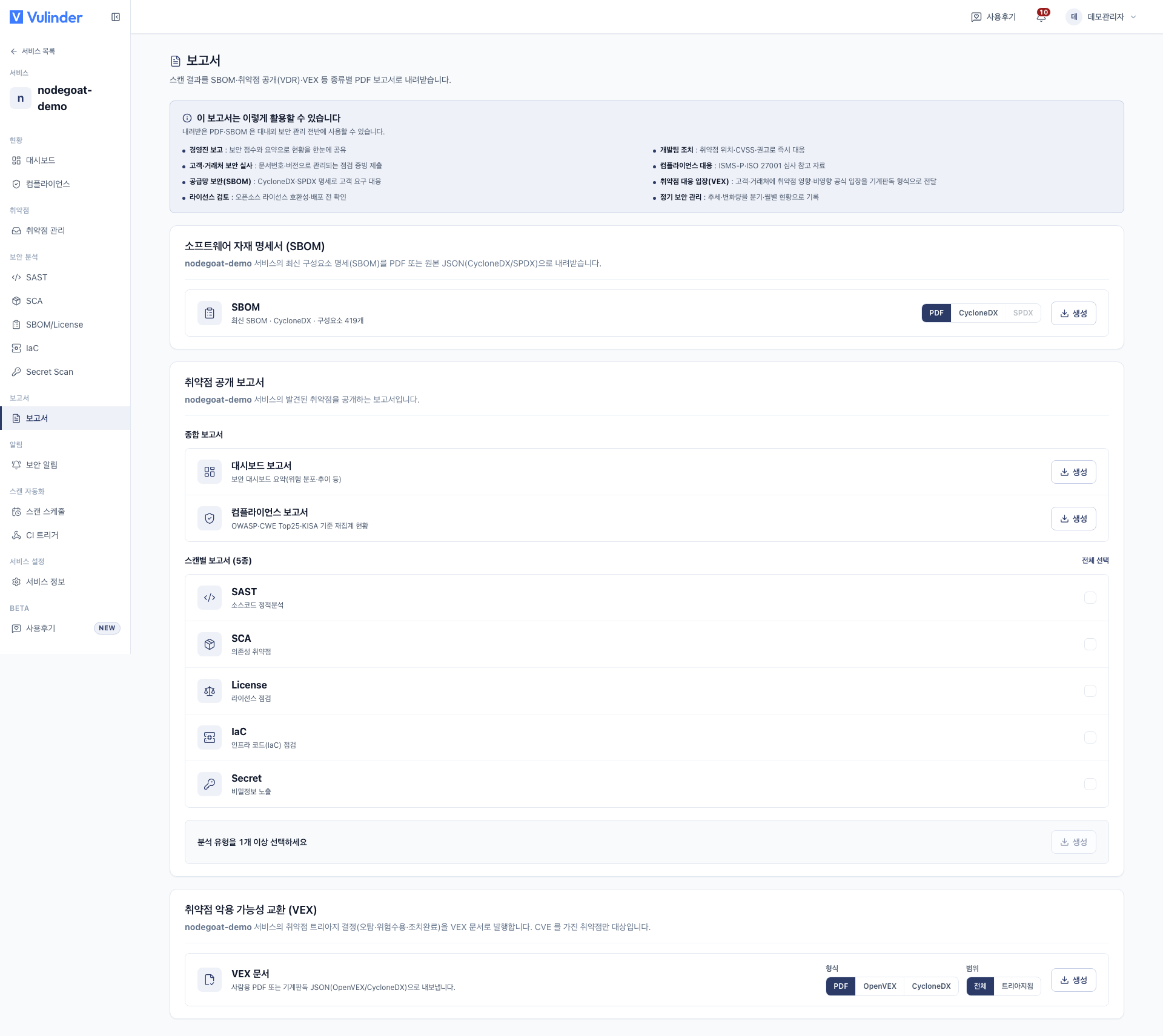
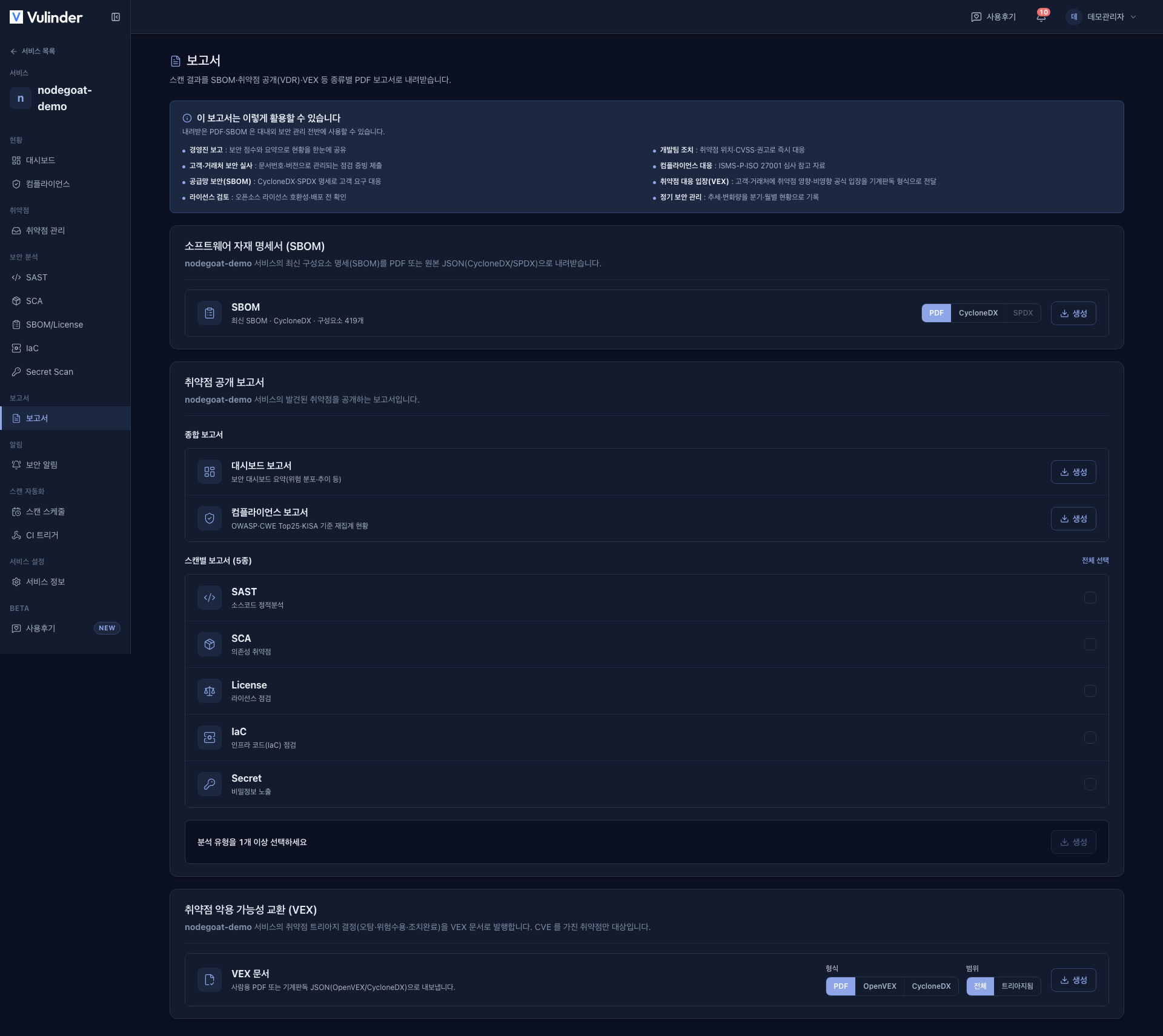
- When the card appears : The VEX card appears only for services with at least one CVE-producing analysis turned on. Those analyses are SCA · DAST · K8s Cluster · Container Hardening.
- Items not yet triaged are exported as
under_investigation.
Choose the format (PDF · OpenVEX · CycloneDX) and scope in the Vulnerability Exploitability eXchange (VEX) card at the bottom of the [Reports] screen, then export.
Triage status and VEX status
Decisions made in Vulnerability management are converted into VEX statuses. Items without a decision are exported as under_investigation.
| Triage outcome | VEX status | Meaning |
|---|---|---|
| False positive | not_affected | This vulnerability has no impact |
| Accepted risk | affected | Affected, but the risk is accepted (without remediation) |
| Fixed | fixed | Already remediated and no longer found. Either handled manually or no longer found by a rescan |
| Open · under investigation | under_investigation | Not yet decided |
"Accepted risk" does not mean there is no impact. It is a decision not to remediate despite knowing the impact, so it is exported as affected. A judgment that there is no impact must be handled as "False positive" to become not_affected.
not_affected justification
A not_affected (false positive) item always includes a standard justification code that states why there is no impact. If no justification was chosen when marking the false positive, it is recorded as vulnerable_code_not_present. This gives the recipient grounds to trust the judgment.
| Code | Meaning |
|---|---|
component_not_present | The component is not present |
vulnerable_code_not_present | The vulnerable code is not present |
vulnerable_code_not_in_execute_path | The vulnerable code is not in the execution path |
vulnerable_code_cannot_be_controlled_by_adversary | An attacker cannot control the vulnerable code |
inline_mitigations_already_exist | Mitigations already exist |
Export scope
Choose one of two scopes in the VEX card.
- All : Includes every item, including those under investigation (
under_investigation). - Triaged : Includes only items with a decision and excludes items under investigation.
Format
- OpenVEX (JSON) : A lightweight standard dedicated to VEX.
- CycloneDX (JSON) : From the same family as SBOM, so it works well alongside the component inventory.
- PDF : A human-readable format for reporting is also available.
Telling customers or auditors that "this CVE is not affected", with evidence, reduces inquiries and re-verification.
Related documents
- Vulnerability management : The handling that VEX statuses are based on
- SBOM : Deliver together with the component inventory
- Compliance : Check compliance status against standards