Reports Overview
This is the step where you export analysis results as documents to share with stakeholders or hand off to other systems. Use them for reporting, audits, and customer responses.
Reports you can produce
- Service security report (PDF) : a PDF that organizes a service's analysis results around severity and remediation priority. What it contains depends on the service type (see the table below).
- Organization-wide combined report : bundles multiple services into one to summarize the organization's overall security posture. Use it for executive reporting or regular security reviews.
- Infrastructure check reports : infrastructure checks for servers and hosts (K8s / CIS / hardening) do not have separate per-bucket download buttons the way SAST, SCA, and DAST do. Instead, you export a given bucket through the organization-wide combined report by selecting the specific type and section.
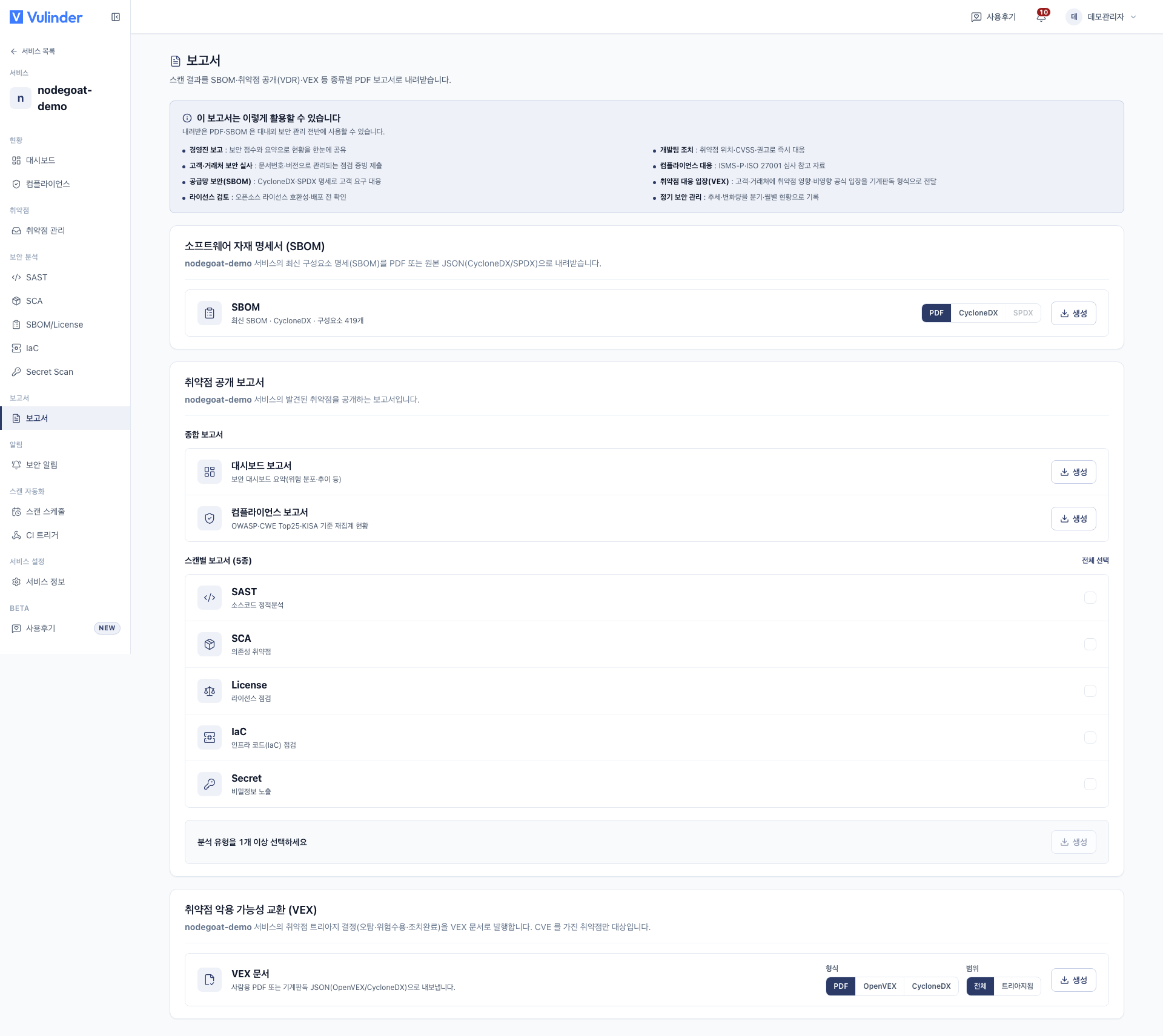
Report contents by service type
You produce reports from the same [Service] screen, but what they contain varies by service type.
| Service type | Analyses included in the report | SBOM | VEX |
|---|---|---|---|
| Source code | SAST · SCA · Secrets · IaC | O | O |
| Container image | Image SCA · Hardening | O | O |
| Web service (DAST) | Dynamic vulnerability check | - | O |
| Server · Host | OS vulnerabilities (SCA) · Infrastructure checks (K8s/CIS/hardening) · Runtime | O | O |
| SBOM upload | Component SCA · License | O | O |
- SBOM can be exported for most types where components are known. Web services (DAST) are excluded because external dynamic checks have no component list.
- VEX exports the triage results of vulnerabilities with a mapped CVE as a standard document. Regardless of type, any CVE-based items make it eligible.
Two standard exports
Besides PDF reports, we provide two artifacts for exchanging with other systems and stakeholders in standard formats.
- SBOM export : extract a component manifest as CycloneDX · SPDX
- VEX export : triage results as OpenVEX · CycloneDX VEX
- Vulnerability Management : the handling that backs the VEX status