SBOM · Hardening
You need to know what is inside the image to track risk, and how it runs to reduce the attack surface. Build a component list (SBOM) of the container image to establish an inventory, and check image hardening (configuration best practices) violations together. Used by the Container image service.
SBOM (Component List)
- Provides the OS packages and application dependencies contained in the image as a single list.
- Can be exported in standard formats (CycloneDX/SPDX).
- License risk is sorted and shown in the order Copyleft, Unknown, Permissive. (More on license risk)
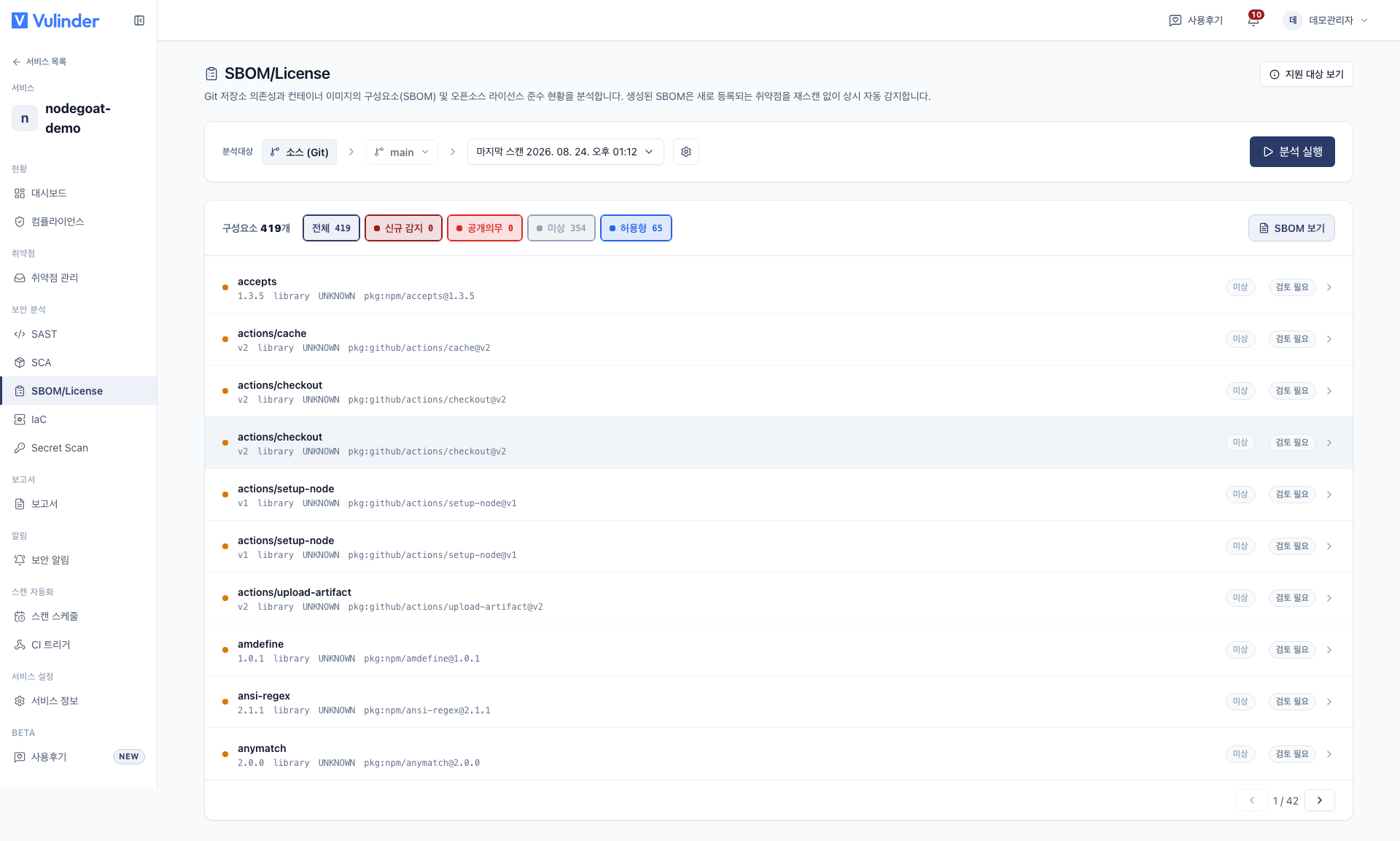
Image hardening
Checks whether the image configuration follows best practices.
- Running as root : The container is configured to run as root.
- Unnecessary packages : Build tools/shells that widen the attack surface remain in the runtime image.
- Missing health check, unsafe defaults, excessive privileges.
Found items are handled in Vulnerability management just like other analyses, and configurations that are intentional per organization policy are marked as accepted risk.
Continuous monitoring
The SBOM inventory is continuously monitored, so when a new CVE is published it is detected and an alert is raised even without a rescan. (Image SCA)
Next steps
Same typeImage SCAKnown CVEs in OS packages and app dependenciesUse the resultsVulnerability managementReview hardening violations, accept riskReferenceLicense riskCriteria for judging copyleft/unknownUse the resultsSecurity NewsContinuous monitoring alerts for new CVEsOverviewContainer imagesRegistration and rescan methods