Server Pentest
Server pentest has AI attempt connections on its own to a registered server / host, actively checking the vulnerabilities of open ports, TLS configuration, and exposed services. AI checks automatically until there is nothing more to see of the target server's attack surface. It is a read-only check that inspects connection · banner · TLS posture, without logging in or changing settings. Only registered server IP ranges are eligible. Used in the server / host service.
- Analysis : Active checking of open ports · TLS configuration · exposed services (read-only)
- Target : A registered server / host (IP). Taken from the registration details; cannot be entered by hand.
- What you need : A registered server. For private networks, a reachability path (SSH gateway · VPN · proxy).
- Results : Findings by severity + a replay of the attack process
Before you run
- A registered server : A server / host to check must be registered (IP or IP:port). If none is registered, "No server/host to check is registered. Register a server (IP[:port]) in service settings first." appears and the run is blocked.
- Private network reachability : Private-network targets must have a reachability path (SSH gateway · VPN profile or an operations proxy) to be checked.
- Read-only : Server checks are read-only, inspecting connection · banner · TLS posture, and do not log in or make changes.
How to run
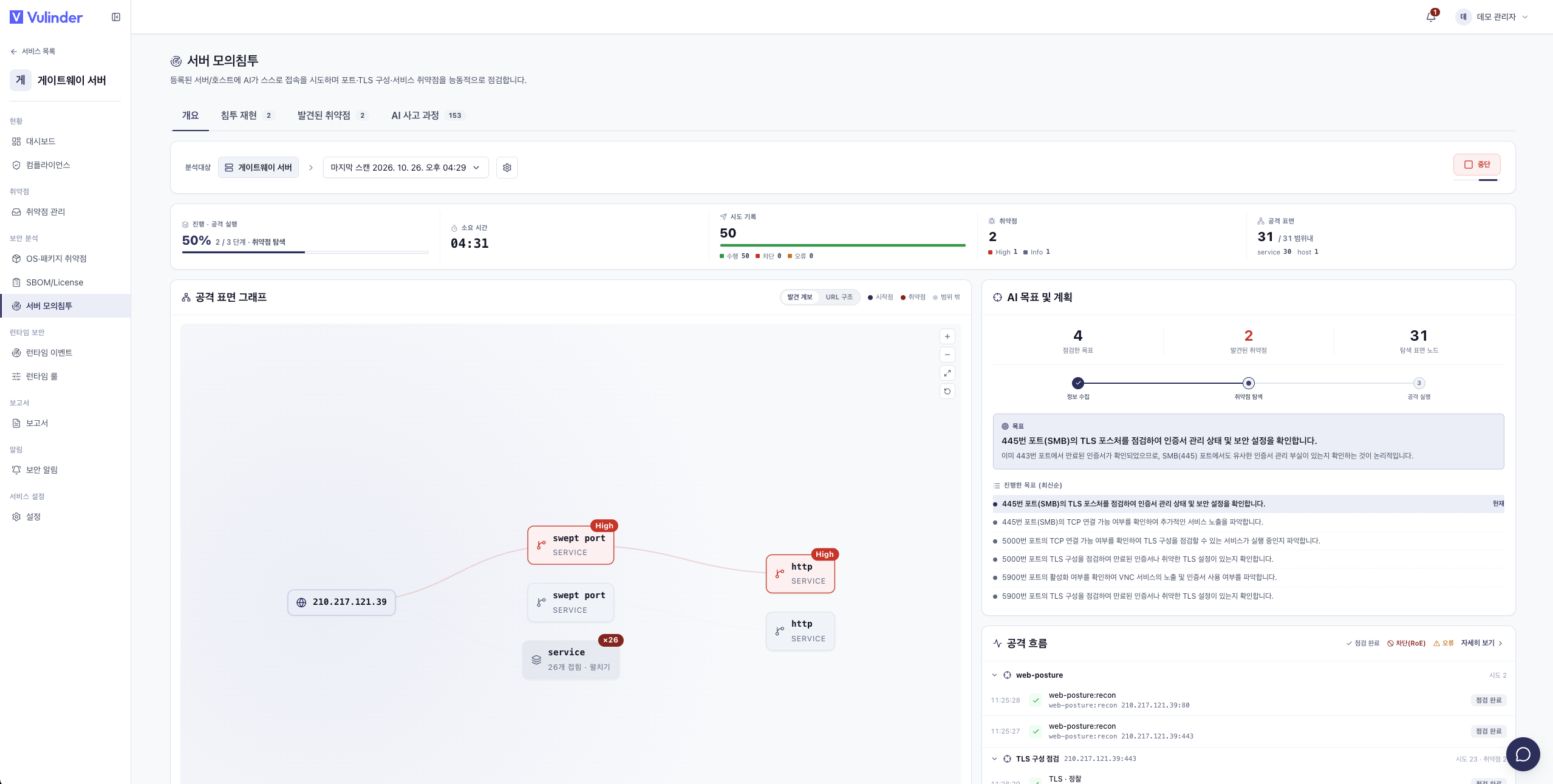
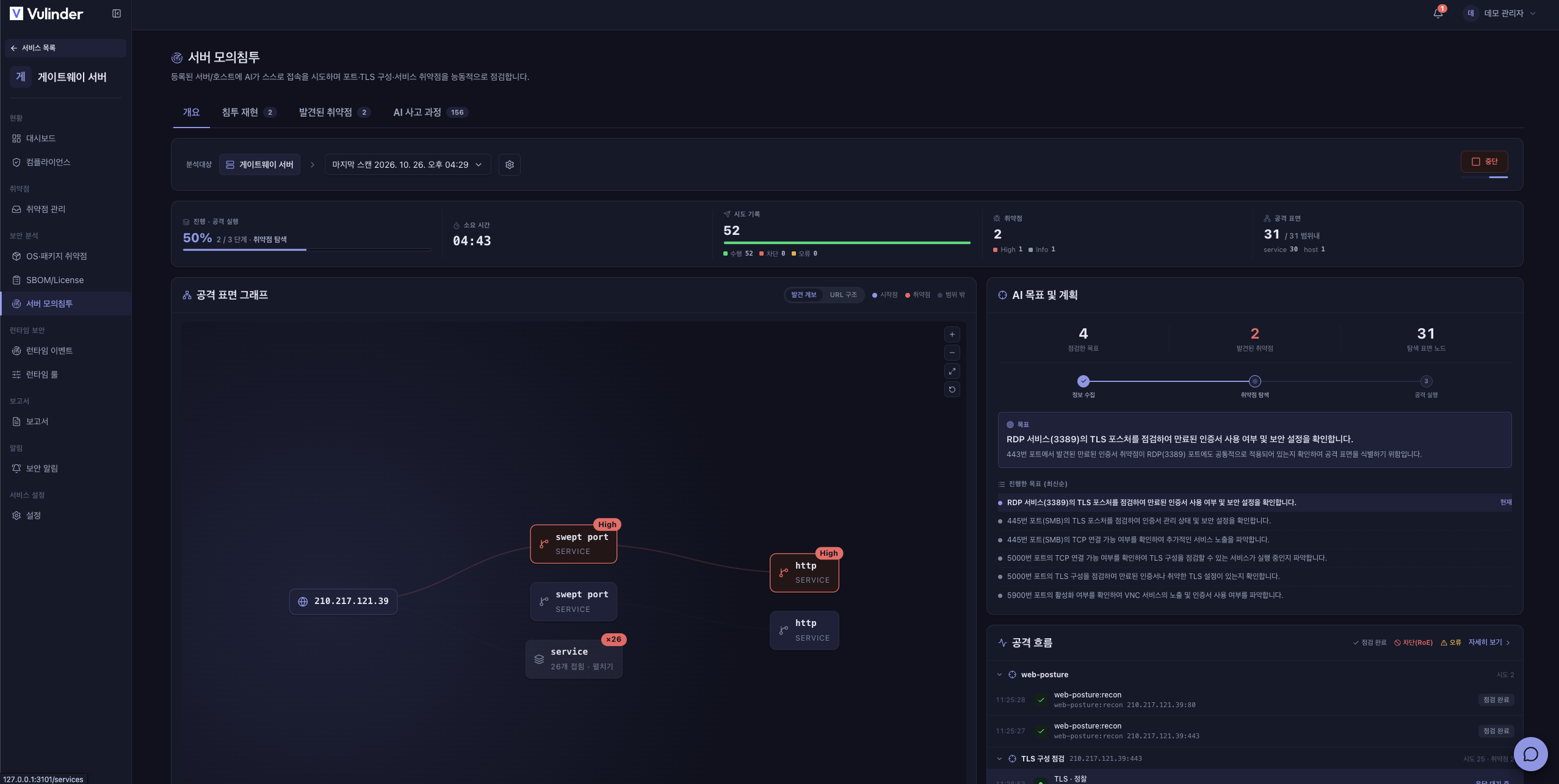
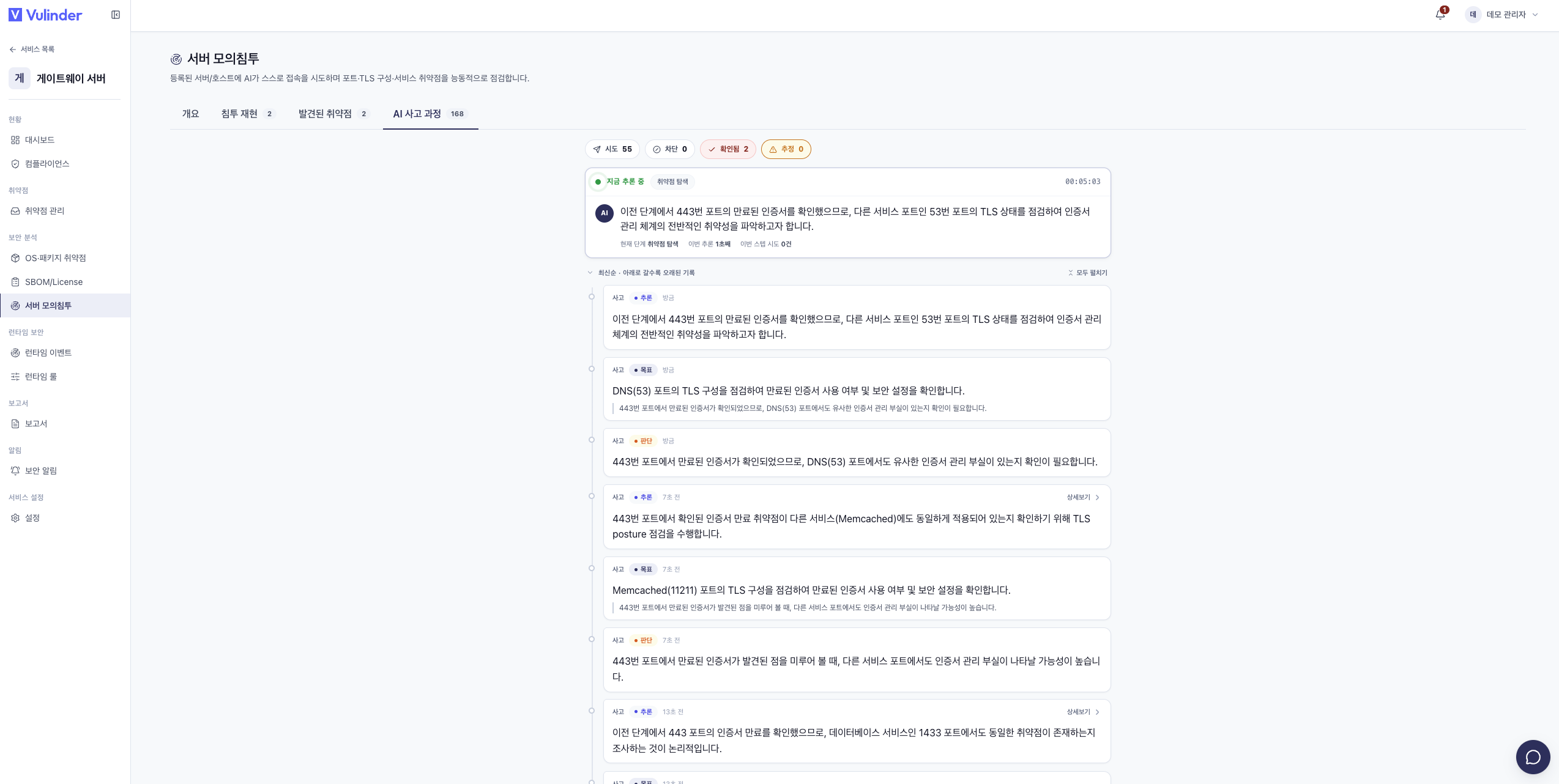
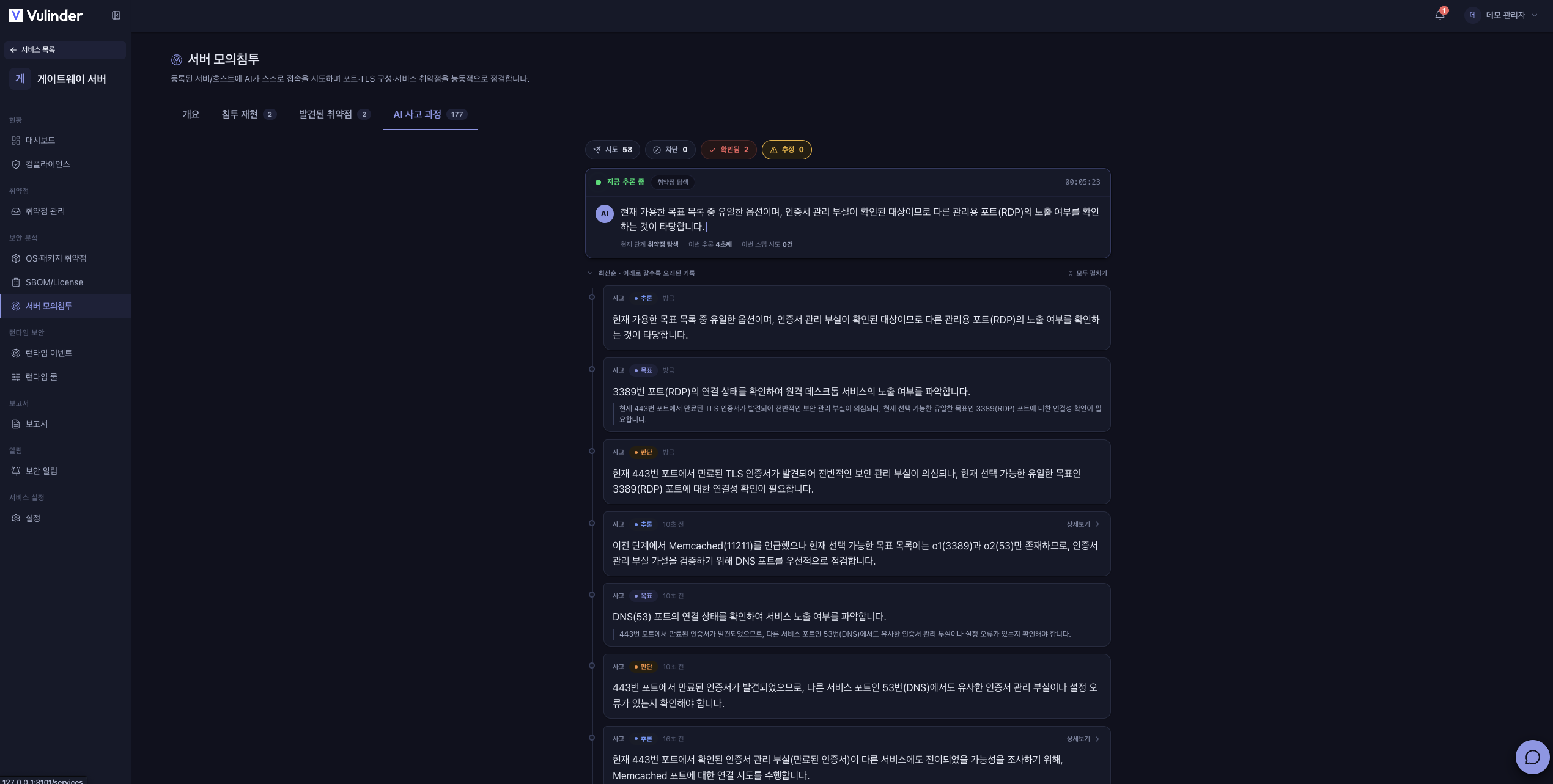
Open the service and click Run analysis on the Server pentest tab to open the configuration window. The screen has the same four tabs as AI penetration test (Overview · Breach replay · Discovered vulnerabilities · AI reasoning) and updates in real time while running. The Overview tab shows the attack surface graph, AI goal and plan, and attack flow.
Configuration
In the configuration window (Server pentest settings), adjust values that apply to this check only. The target IP is taken from the registered server, so you do not specify it.
Basic settings
- Target port : The port to check (1 to 65535). If you do not turn on Auto-scan common ports below, a target port entry is required; if you turn it on, it becomes optional. One of the two must be specified to run.
- Maximum number of checks : The check budget. Leave empty to apply the recommended value automatically.
- Minimum interval between requests : The minimum interval between requests (ms).
- Maximum number of requests : The maximum number of requests the check sends (1 to 10000).
Expanded checks
Items that are off by default and that you turn on manually each time you run.
- Auto-scan common ports : Connects to the target server's common ports (web · DB · mail · remote, etc.) to find and check open services (read-only). When on, you can specify the ports to check, comma-separated (up to 64); leaving it empty auto-scans common ports.
Advanced
The collapsed Advanced area specifies the check starting point (seed), additional check targets, and forbidden operating hours.
What it checks
Server pentest checks the following.
- TCP connect : Port connectivity and open-service identification
- TLS posture : TLS posture such as certificates · protocol versions
- STARTTLS posture : TLS posture of services that use STARTTLS
- Service capability enumeration : Capabilities a connected service exposes (found during exploration)
Viewing results
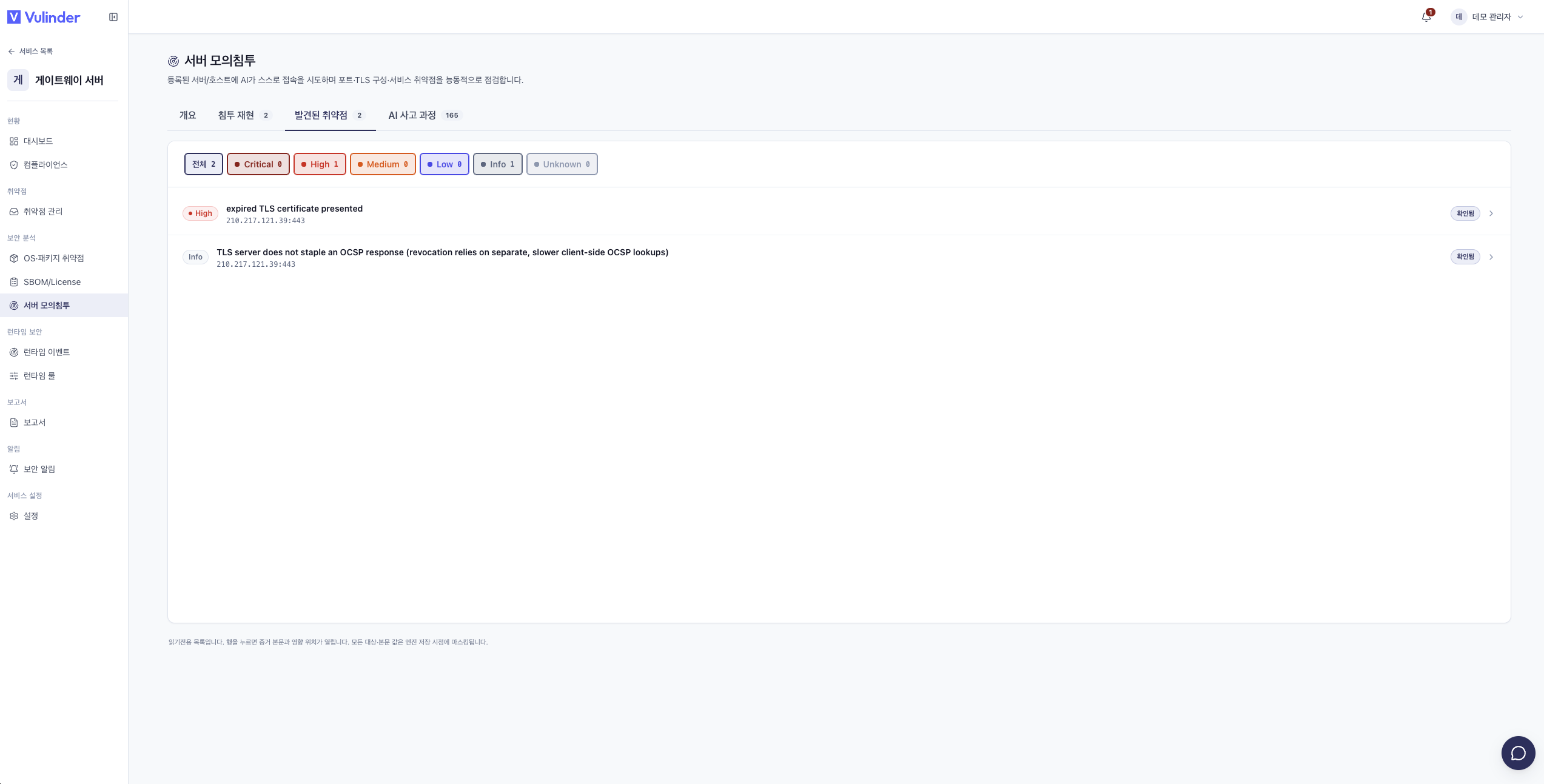
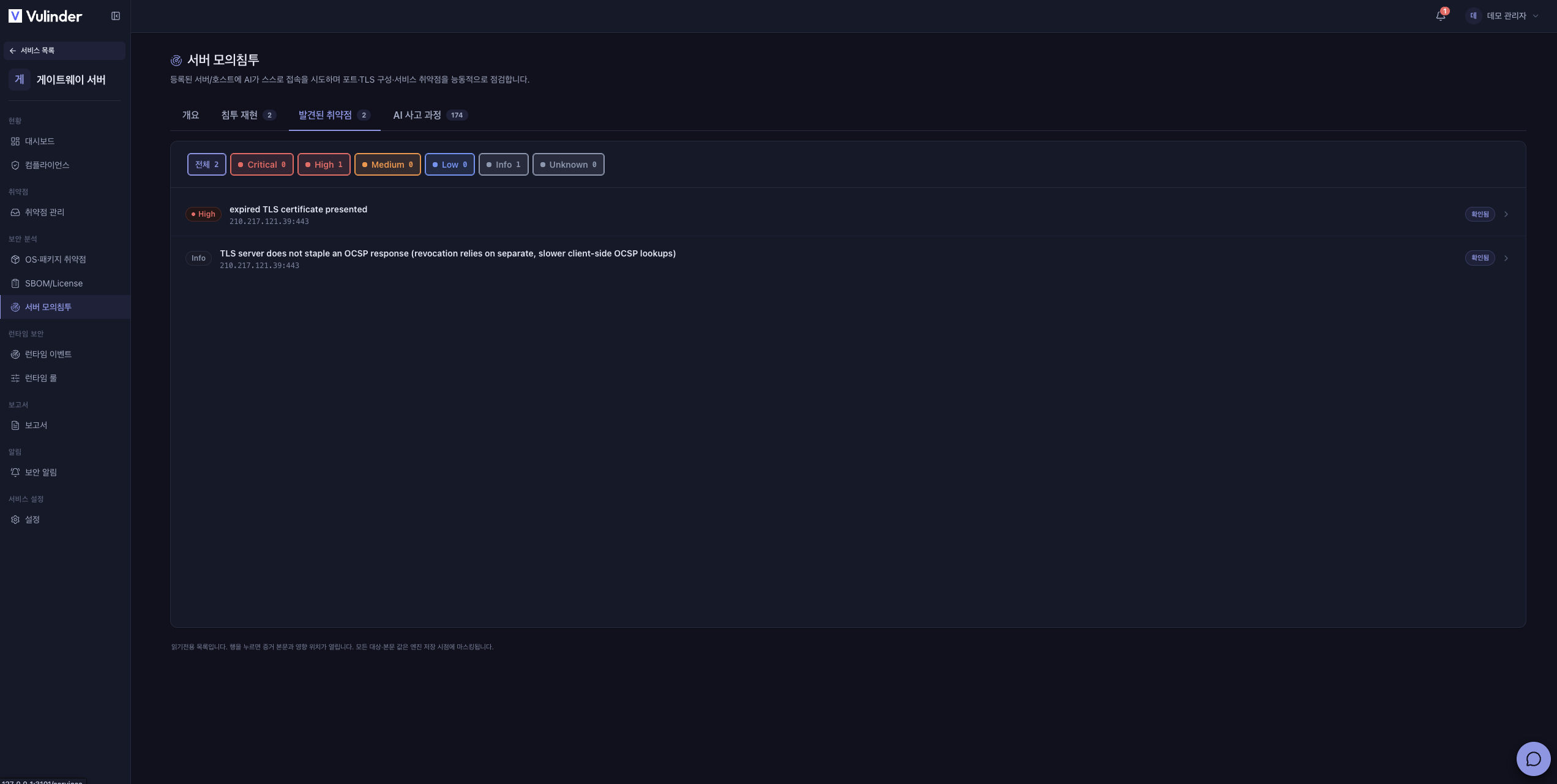
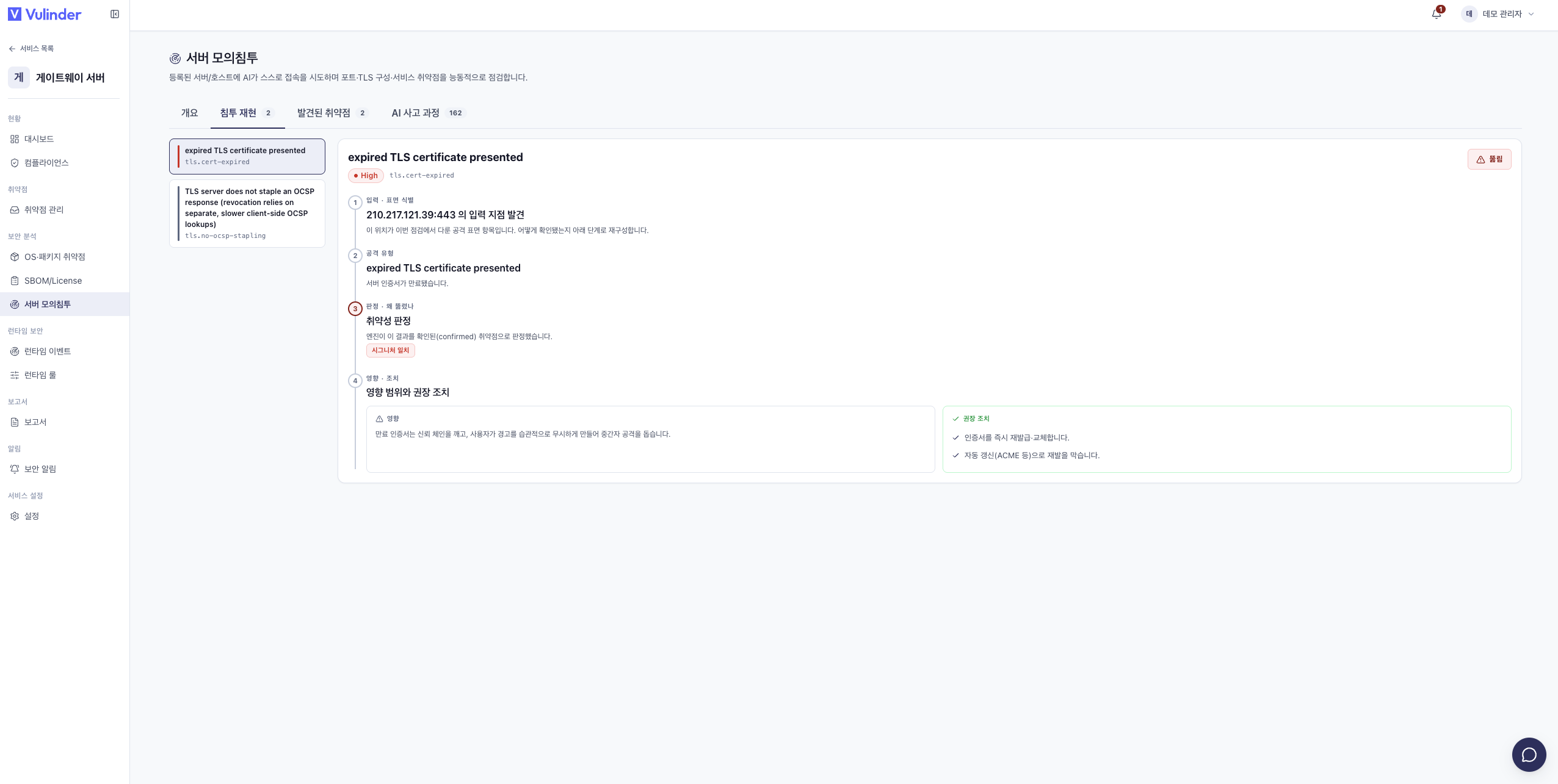
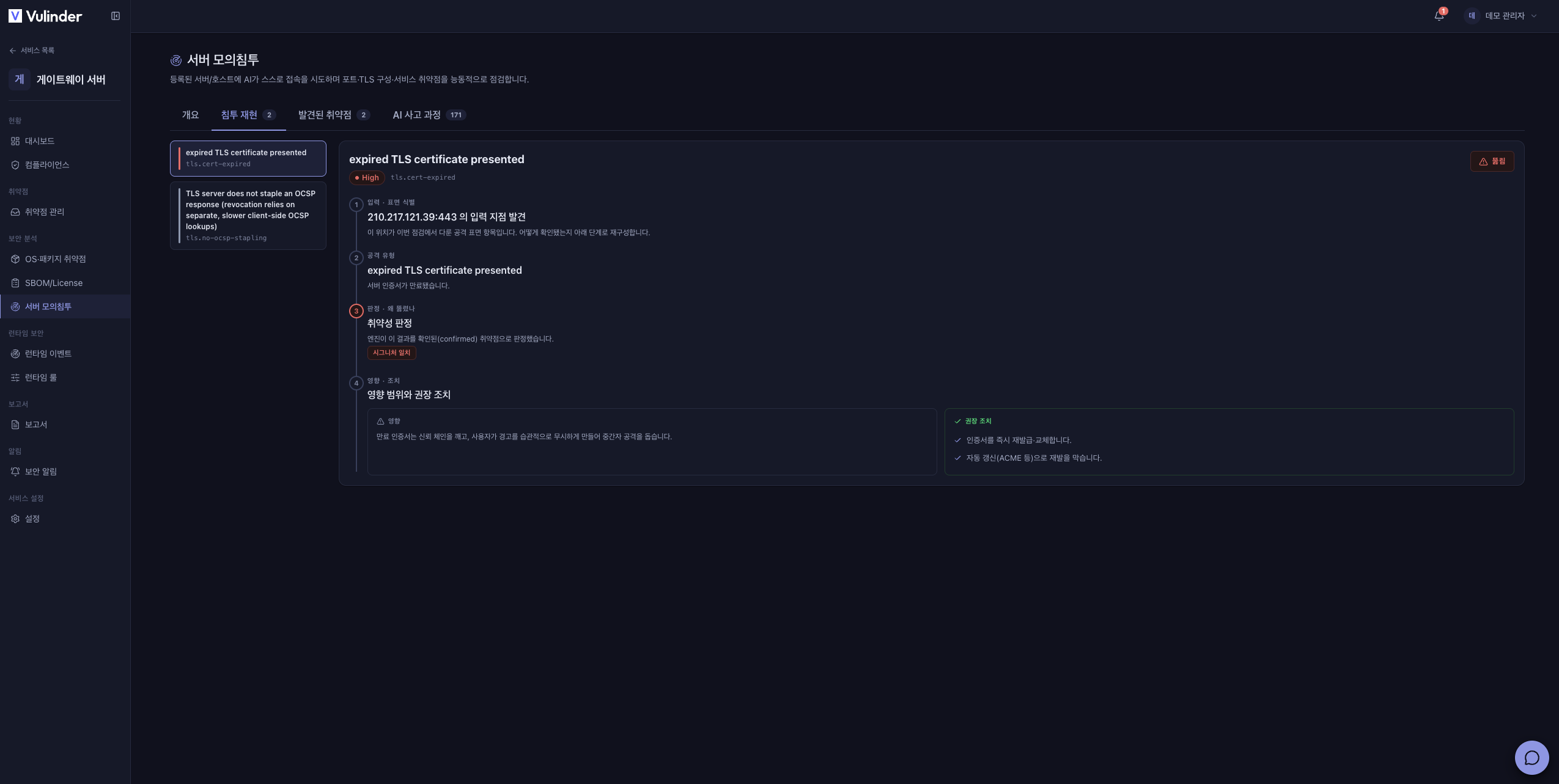
Findings are tagged Confirmed or Inferred. Click an item to see the affected location, classification, the actions performed and response evidence, and recommended actions. Confirmed items continue into the attack chain on the Breach replay tab. Findings are triaged in vulnerability management like any other analysis.
Related documents
- Server / host : Server registration and access settings
- AI penetration test : Active checking of web services
- VPN profile : Reachability path for private-network servers
- Vulnerability management : Review and handle findings
- Server / host settings : Change server registration · access details