AI Penetration Test
AI penetration test has AI send requests on its own to a running web service, actively checking for vulnerabilities. Unlike DAST, which sweeps a fixed set of checks once, AI explores the attack surface, follows the clues it finds into the next request, and continues autonomously until there is nothing more to explore. Only your own domains with verified ownership are eligible. Used in the web service type.
- Analysis : Active checking of a running web service (AI autonomous exploration)
- Target : Only your own domains with verified ownership. Taken from the registered service; cannot be entered by hand.
- What you need : An ownership-verified target URL. Credentials for checking logged-in areas.
- Results : Findings by severity + a replay of the attack process
Before you run
AI penetration test assumes the same ownership verification as DAST. Check the following before running.
- Ownership-verified target URL : A target URL (domain) must exist in service settings, and ownership verification must be complete. If there is no target, "No analysis target URL is set." appears; before verification, "This domain needs ownership verification." appears, and the run is blocked. For the verification method, see Ownership verification in Web service.
- Credentials (optional) : To check areas behind login, register credentials (cookie · header or automatic login) by environment variable name. Neighboring object (IDOR) checks require authentication.
- Sensitive checks are enabled manually : State-changing (POST) injection, time-based checks, and SSRF (OOB) checks run only when you turn them on each time you run in settings; SSRF checks require an OOB listener configured on the server.
How to run
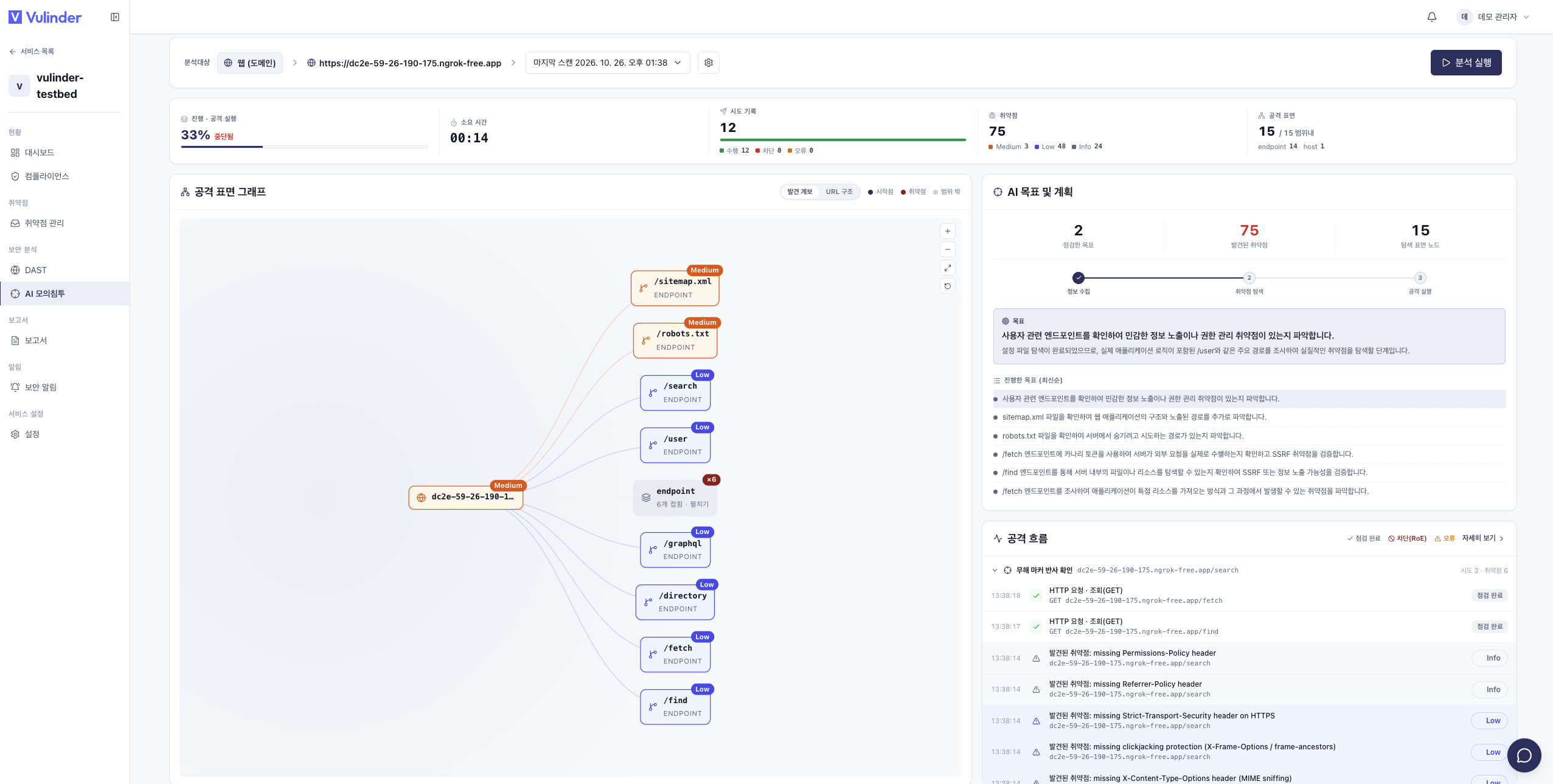
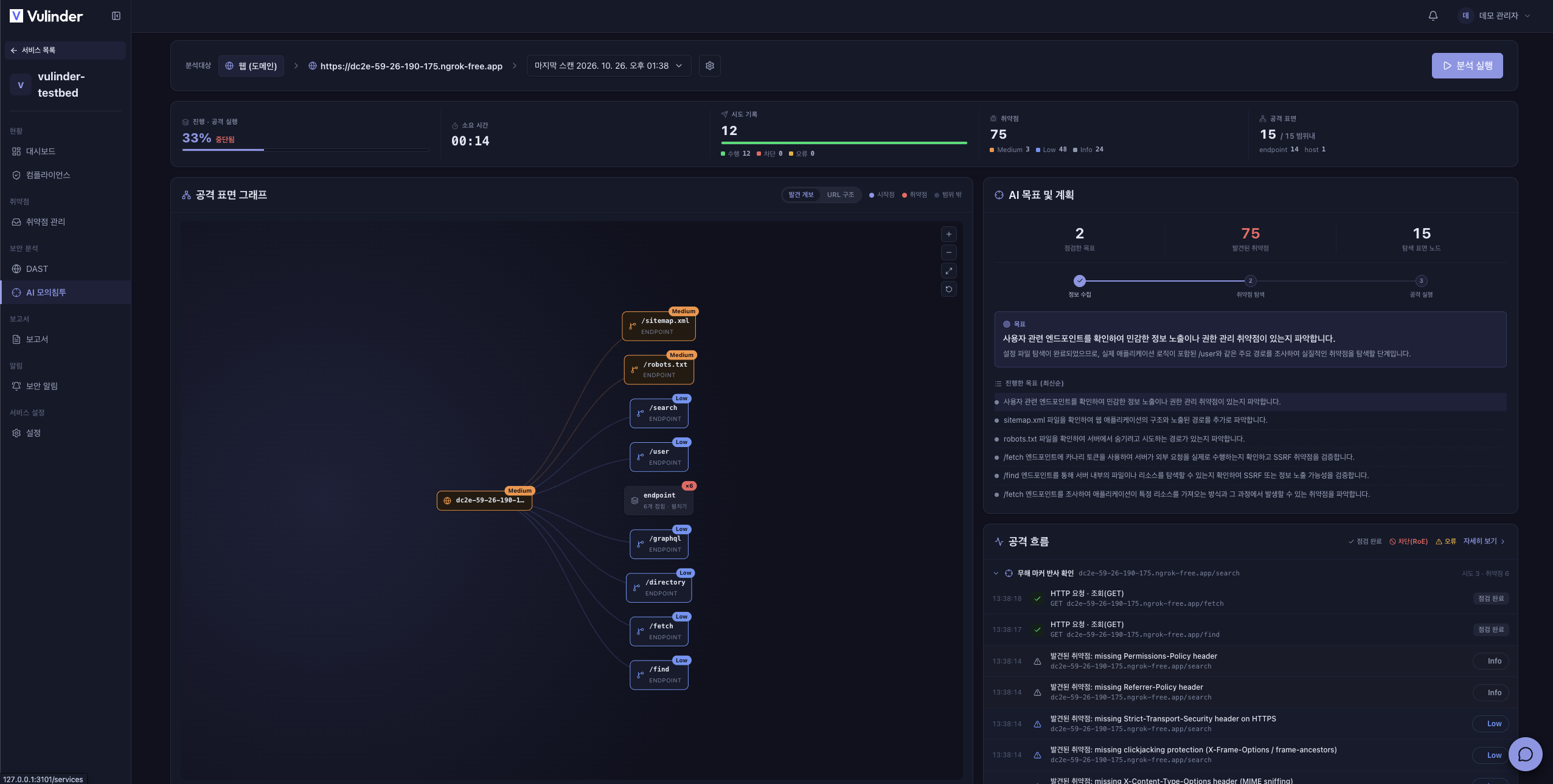
Open the service and click Run analysis on the AI penetration test tab to open the configuration window. Once running, the screen updates in real time while the check is in progress.
The screen has four tabs.
- Overview : A live dashboard that gathers progress, elapsed time, the attempt log, found vulnerabilities, and the attack surface on one screen. The attack surface graph, AI goal and plan, and attack flow are shown together.
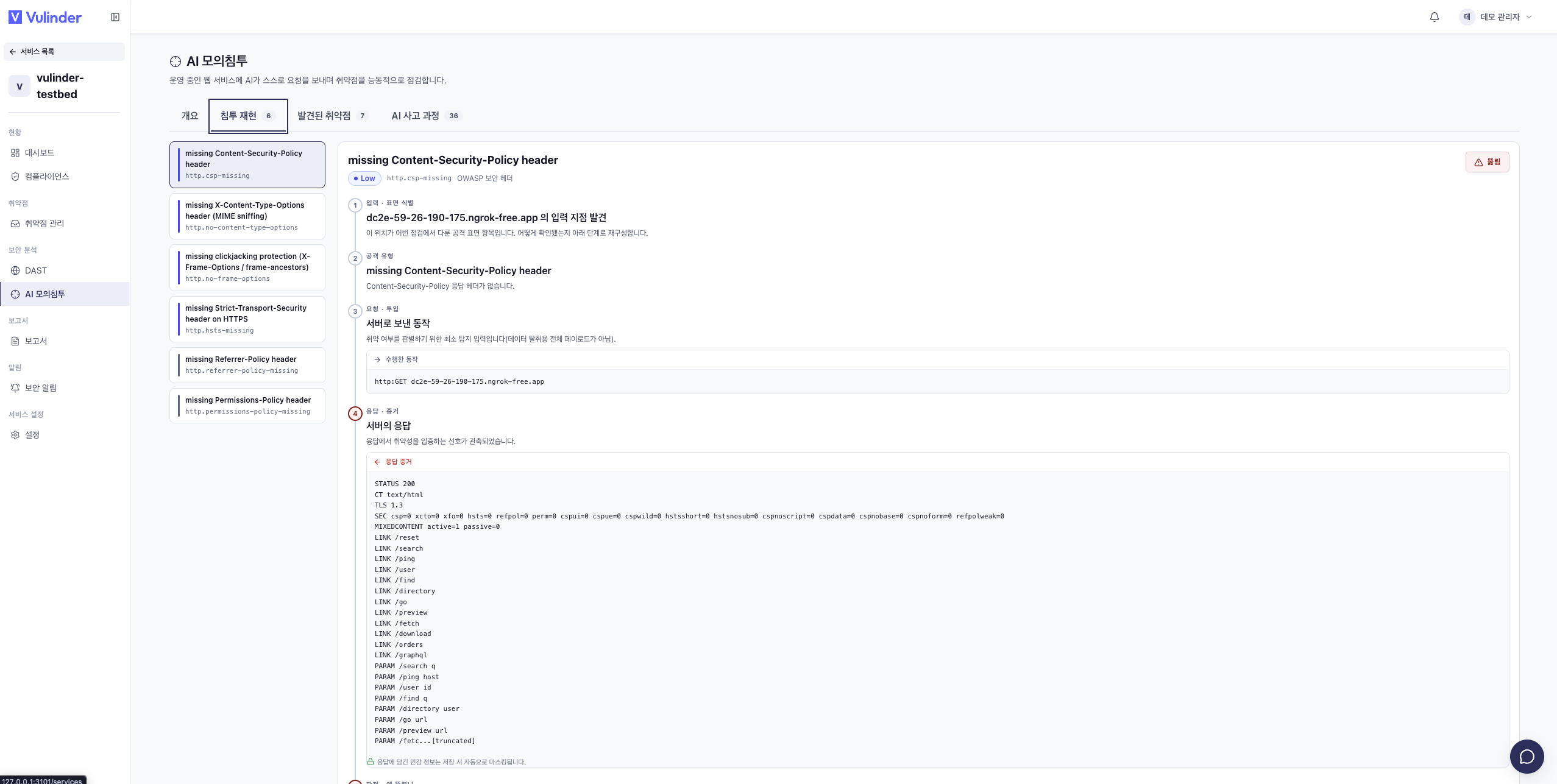
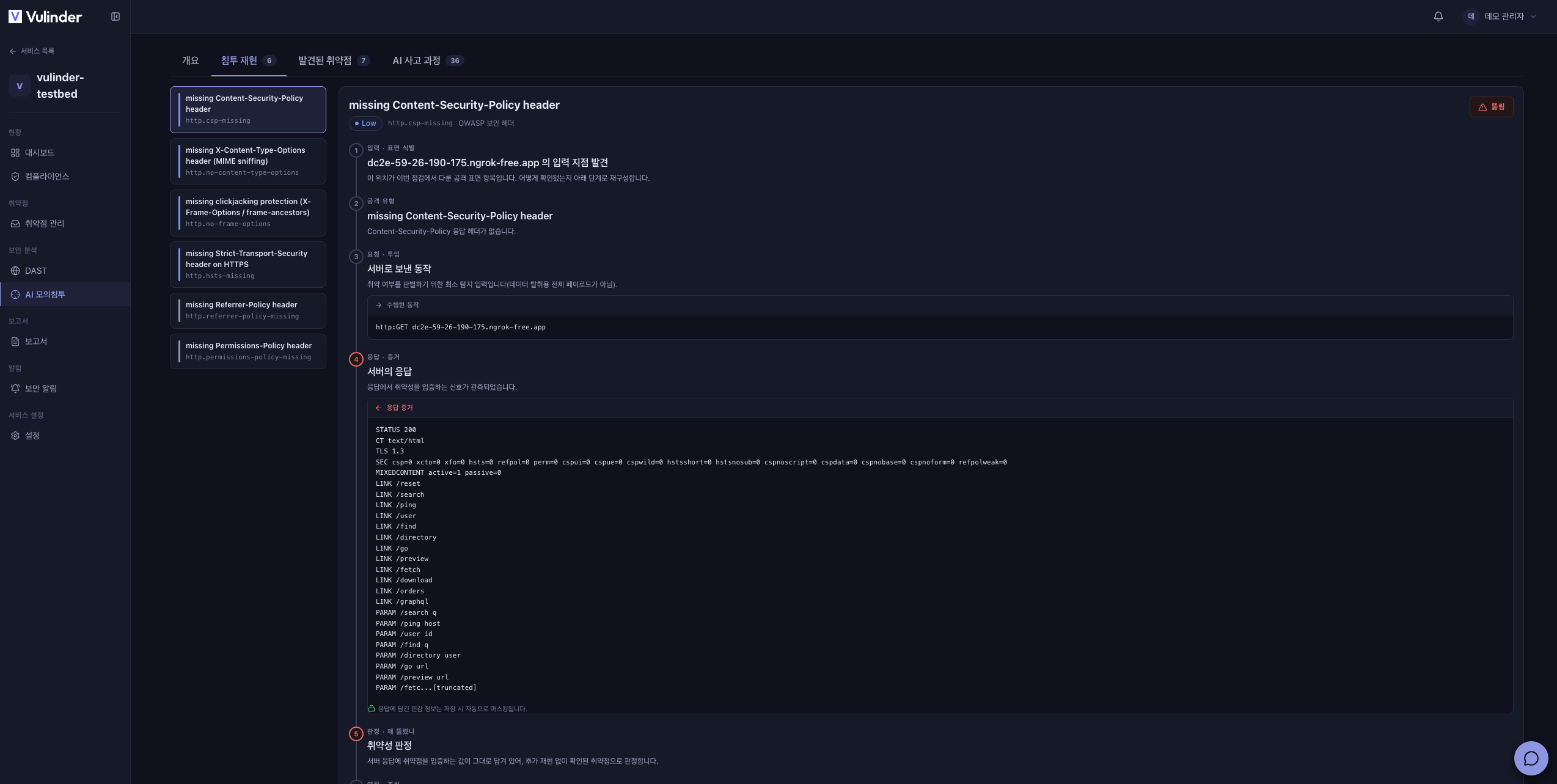
- Breach replay : Reconstructs breaches that actually succeeded into an attack chain (from input identification through response evidence · judgment · impact).
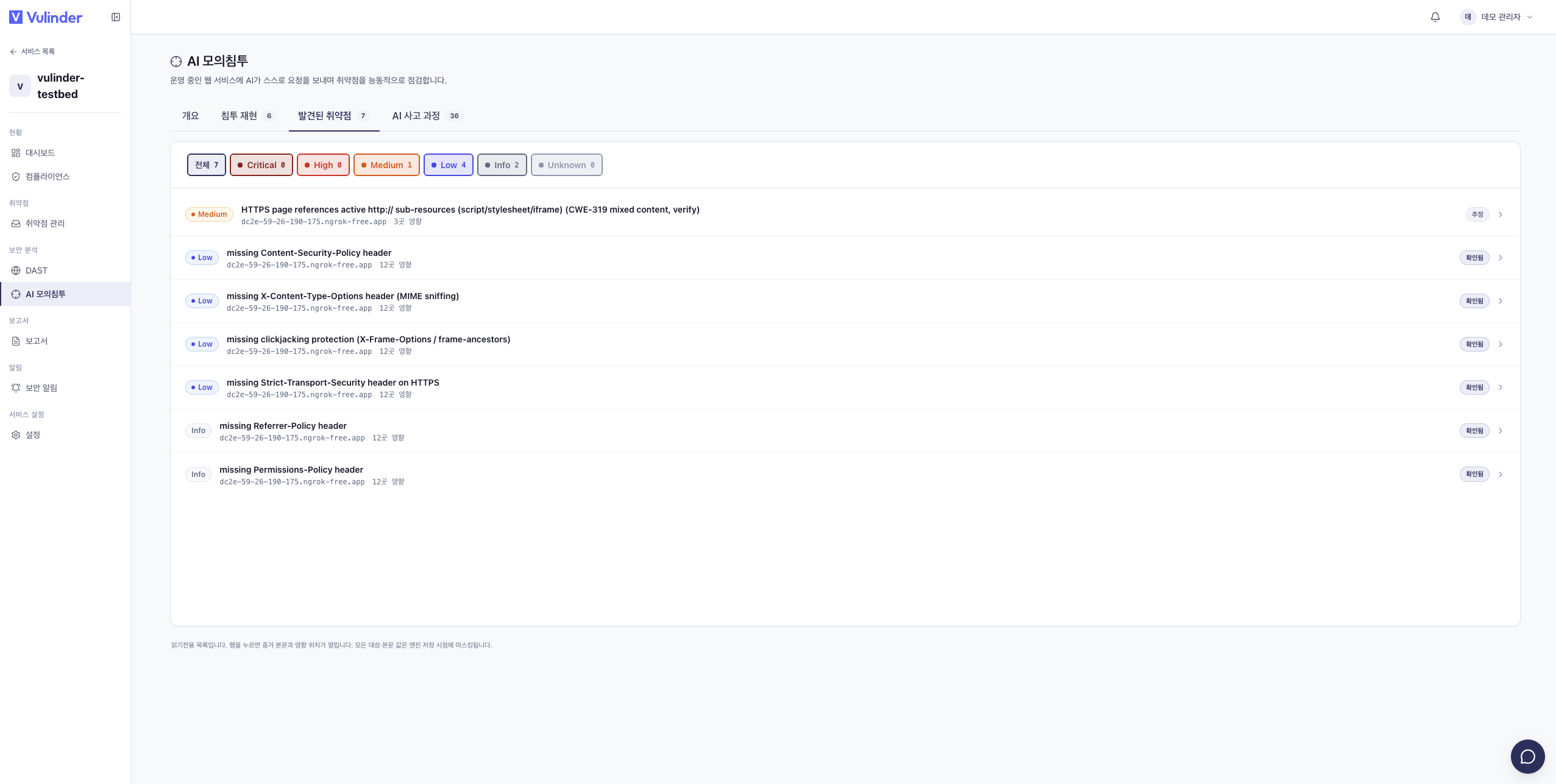
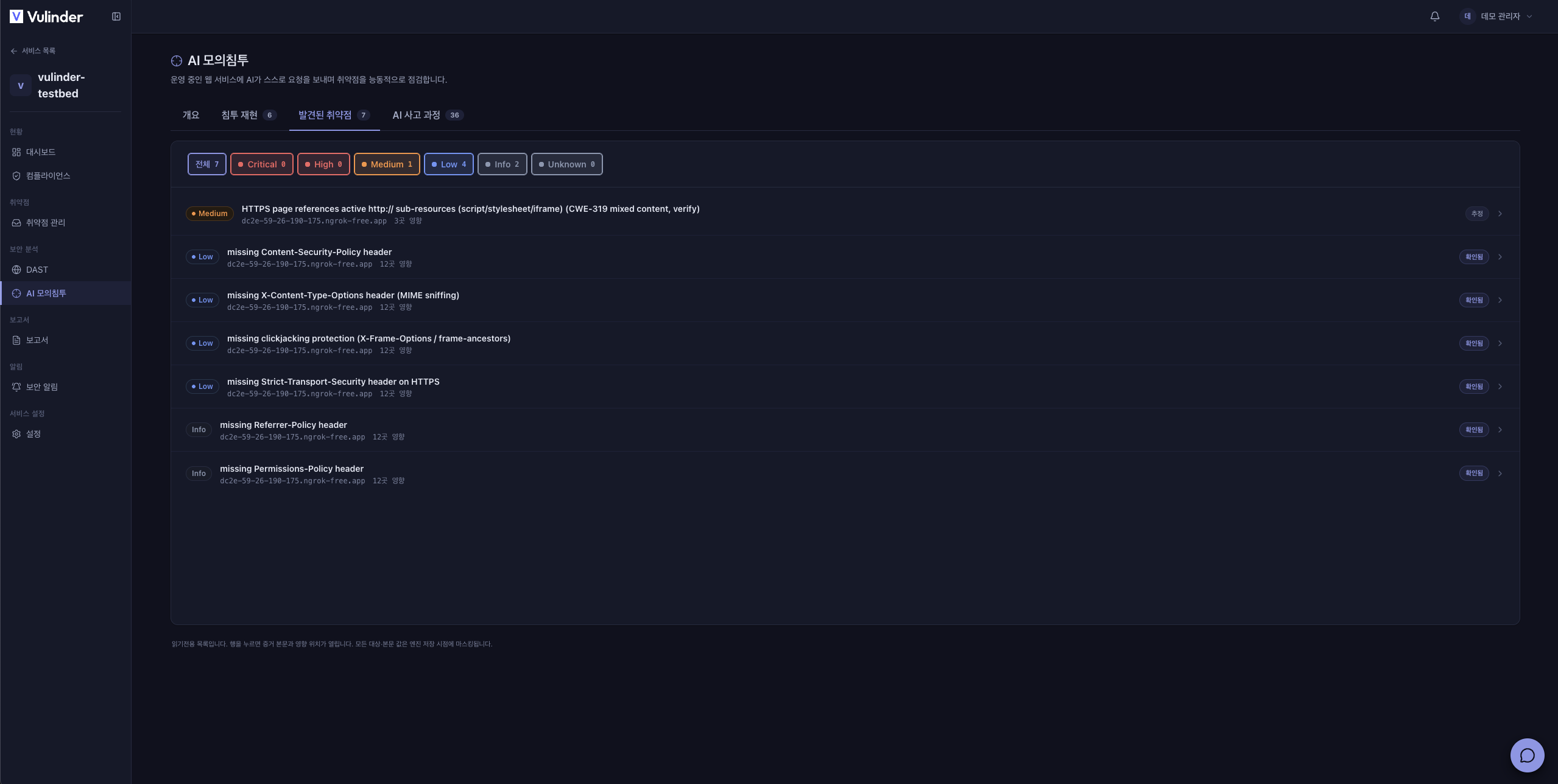
- Discovered vulnerabilities : Organizes findings by severity.
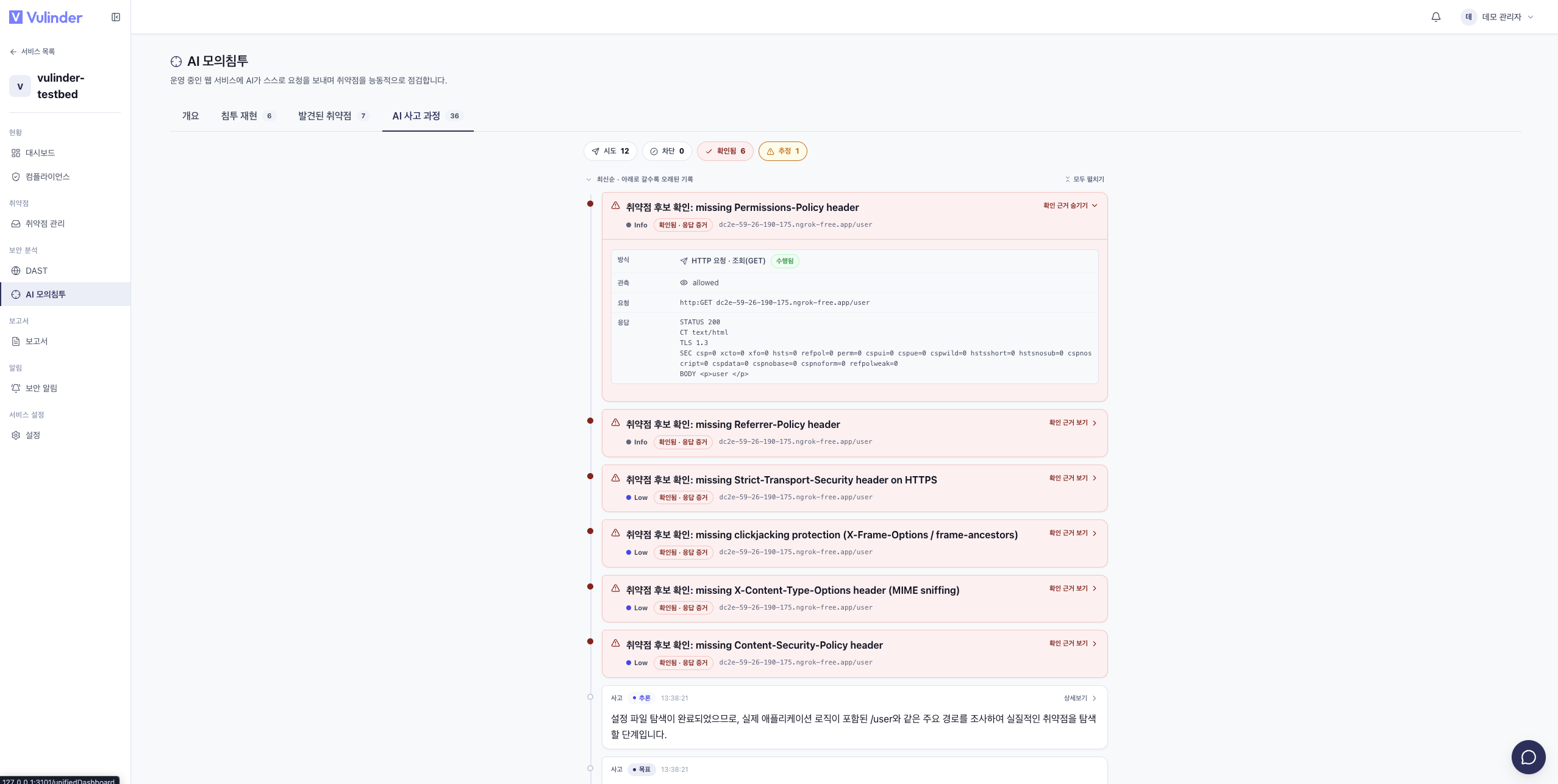
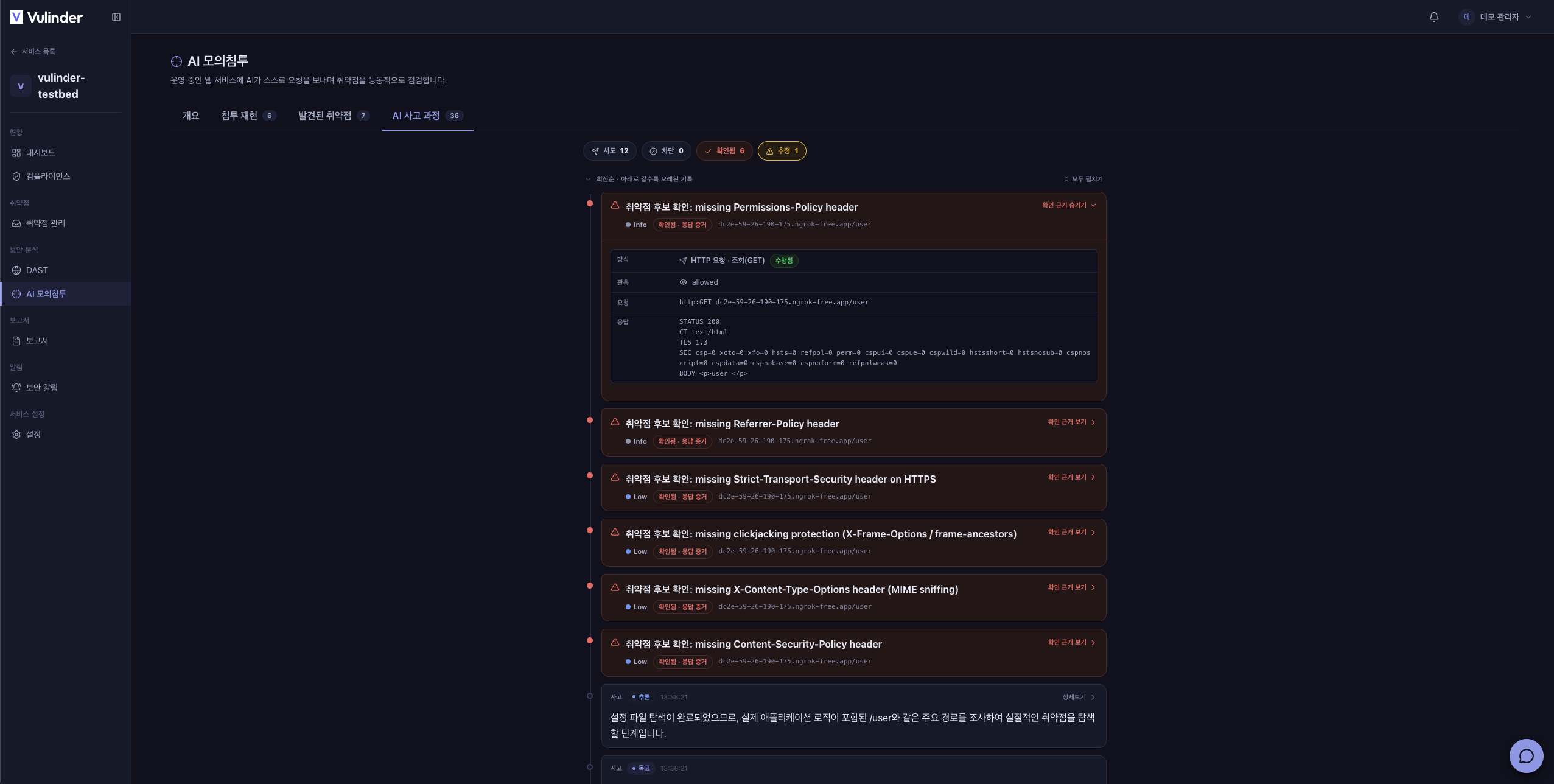
- AI reasoning : Shows, in reverse-chronological order, the goals and judgments AI made.
Configuration
In the configuration window (AI penetration test settings), adjust values that apply to this check only. The target is taken from the registered service, so you do not specify it.
Basic settings
- Protocol (scheme) : Choose the protocol to use for the check (
https·http). - Minimum request interval : The minimum interval between requests (ms), to control the load on the target.
- Maximum number of actions : The maximum number of actions the check performs.
Expanded checks
Items that are off by default and that you turn on manually each time you run. Each item shows a purpose description.
- Sensitive path guessing : Guesses and explores hidden admin · debug paths.
- Parameter reflection probe : Checks whether input is reflected back in the response.
- Error-based attack payloads : Detects flaws with error-triggering input.
- Time-based blind checks : Finds flaws that only surface as response delays (enable to add delay-replay confirmation).
- OPTIONS method surface : Checks exposure of allowed HTTP methods.
- Neighboring object (IDOR) enumeration : Checks whether other users' objects are accessible (authenticated session required).
- TLS version enumeration : Checks supported TLS versions and weak configuration.
- GraphQL introspection check : Checks whether the GraphQL schema is exposed.
- Blind SSRF (OOB) check : Checks server-side request forgery confirmable only via an external listener (server OOB listener required).
Separately, turning on Allow state-changing POST injection extends the check to requests that change state, by selecting injection types (SQL · XSS · SSTI · path traversal · XXE). You can also limit it to specific paths.
Authentication
To check login-protected areas, specify an authentication method. Credentials are not entered in plaintext but registered by environment variable name only.
- None (anonymous) : Check without authentication.
- Static session (cookie · header) : Specify an environment variable holding the cookie or header name and value.
- Automatic login : Specify the login URL, username · password fields, and session cookie so the check logs in during the run.
You can add a second session for cross-identity (BOLA) checks, or specify a vertical privilege-escalation tier.
Advanced
The collapsed Advanced area specifies the starting point (seed), additional scope, and forbidden operating hours (time zone and start · end times).
Viewing results
- Findings are tagged Confirmed or Inferred. Confirmed means the attack actually succeeded; inferred means it needs further verification.
- Click an item to see the affected location, OWASP classification, input point, judgment method, the actions performed and response evidence (masked), and recommended actions. Confirmed items continue into the attack chain on the Breach replay tab.
Handling results
Findings are triaged in vulnerability management like any other analysis.
AI penetration test generates real traffic to the target, and turning on state-changing (POST) injection can modify data. Run against production during low-traffic windows or target a staging environment, and set forbidden operating hours if needed. You can stop the check at any time while it runs.
Related documents
- Web service (DAST) : Ownership verification and dynamic testing
- Vulnerability management : Review and handle findings
- Compliance : Mapping to OWASP · CWE standards
- Web service settings : Change target URL · ownership verification
- Notification settings : Completion and finding alerts